

Longbridge MCP Service
Longbridge provides a hosted MCP (Model Context Protocol) service that lets you use Longbridge market data and account capabilities directly from ChatGPT, AI coding assistants, and other chat tools — without managing API keys manually.
MCP endpoint
- Global:
https://mcp.longbridge.com - Mainland China:
https://mcp.longbridge.cn(faster access)
US accounts must use the global endpoint — .cn has no route to the US data center and serves AP accounts (Longbridge SG / HK) only. See Access Points and Data Centers.
Available capabilities
Longbridge MCP exposes 160+ tools across six capability areas. Your client discovers them automatically on connect — no manual configuration.
| Capability | Coverage |
|---|---|
| Real-time market data | Quotes, candlesticks, depth, broker queues, trades, intraday capital flow |
| Fundamentals & research | Company profiles, dividends, valuations, executive holdings, A/H premium, macroeconomic indicators |
| Derivatives | Option chains, warrant filters, issuers, warrant quotes |
| Account & portfolio | Balances, positions, cash flow, watchlists and groups |
| Trading | Place / modify / cancel orders, estimate max purchase quantity |
| Automation | Price alerts, scheduled DCA (dollar-cost averaging) plans |
Actual tool availability depends on your region, account level, and granted OAuth scopes.
Available tools
Get account cash balance and asset summary. Returns balances[]{currency, total_cash, max_finance_amount, remaining_finance_amount, risk_level, margin_call}. Filter by currency (e.g. "USD", "HKD").
Parameters
currencystringFilter by currency code (e.g. "USD", "HKD"). Omit to return all currencies.
_jqstringOptional jq filter (jaq syntax) applied to this tool's JSON response before it is returned; it never changes the upstream request. One output is returned as-is, several as a JSON array, none as []. Module imports and the `env`/`debug`/`stderr` builtins are unavailable. Example: .data | map({symbol}). Omit for the full response.
Get A/H share premium historical K-line data. Returns items[]{timestamp, open, high, low, close} representing the premium percentage over the given period.
Parameters
symbolstringrequiredSecurity symbol, e.g. "700.HK". Use the canonical form — a padded code like "00700.HK" returns an empty record, not an error.
periodstringK-line period: "1m", "5m", "15m", "30m", "60m", "day" (default), "week", "month", "year"
countintegerNumber of K-lines to return (default: 100)
_jqstringOptional jq filter (jaq syntax) applied to this tool's JSON response before it is returned; it never changes the upstream request. One output is returned as-is, several as a JSON array, none as []. Module imports and the `env`/`debug`/`stderr` builtins are unavailable. Example: .data | map({symbol}). Omit for the full response.
Get A/H share premium intraday time-share data. Returns items[]{timestamp, premium_rate} showing the intraday A/H premium percentage minute by minute.
Parameters
symbolstringrequiredSecurity symbol, e.g. "700.HK". Use the canonical form — a padded code like "00700.HK" returns an empty record, not an error.
_jqstringOptional jq filter (jaq syntax) applied to this tool's JSON response before it is returned; it never changes the upstream request. One output is returned as-is, several as a JSON array, none as []. Module imports and the `env`/`debug`/`stderr` builtins are unavailable. Example: .data | map({symbol}). Omit for the full response.
Add a price alert. condition: price_rise/price_fall (absolute price) or percent_rise/percent_fall (relative %). frequency: once/daily/every. Returns created alert object.
Parameters
symbolstringrequiredSecurity symbol, e.g. "700.HK". Use the canonical form — a padded code like "00700.HK" returns an empty record, not an error.
conditionstringrequiredAlert condition: "price_rise", "price_fall", "percent_rise", "percent_fall"
pricestringrequiredThreshold price or percentage value
frequencystringAlert frequency: "once" (trigger once then disable), "daily" (once per day), "every" (alert every time condition is met)
_jqstringOptional jq filter (jaq syntax) applied to this tool's JSON response before it is returned; it never changes the upstream request. One output is returned as-is, several as a JSON array, none as []. Module imports and the `env`/`debug`/`stderr` builtins are unavailable. Example: .data | map({symbol}). Omit for the full response.
Delete a price alert by alert_id (numeric string from alert_list). Returns upstream API response on success; errors if alert_id is invalid.
Parameters
alert_idstringrequiredAlert indicator id
_jqstringOptional jq filter (jaq syntax) applied to this tool's JSON response before it is returned; it never changes the upstream request. One output is returned as-is, several as a JSON array, none as []. Module imports and the `env`/`debug`/`stderr` builtins are unavailable. Example: .data | map({symbol}). Omit for the full response.
Disable a price alert by alert_id. Use alert_list to find the numeric alert_id.
Parameters
alert_idstringrequiredAlert indicator id
_jqstringOptional jq filter (jaq syntax) applied to this tool's JSON response before it is returned; it never changes the upstream request. One output is returned as-is, several as a JSON array, none as []. Module imports and the `env`/`debug`/`stderr` builtins are unavailable. Example: .data | map({symbol}). Omit for the full response.
Enable a price alert by alert_id. Use alert_list to find the numeric alert_id.
Parameters
alert_idstringrequiredAlert indicator id
_jqstringOptional jq filter (jaq syntax) applied to this tool's JSON response before it is returned; it never changes the upstream request. One output is returned as-is, several as a JSON array, none as []. Module imports and the `env`/`debug`/`stderr` builtins are unavailable. Example: .data | map({symbol}). Omit for the full response.
Get all configured price alerts.
Parameters
_jqstringOptional jq filter (jaq syntax) applied to this tool's JSON response before it is returned; it never changes the upstream request. One output is returned as-is, several as a JSON array, none as []. Module imports and the `env`/`debug`/`stderr` builtins are unavailable. Example: .data | map({symbol}). Omit for the full response.
Get market anomaly alerts (unusual price/volume changes). market: HK/US/CN/SG. symbol: optional, filter to a specific stock. count: results per page (default 50, max 100).
Parameters
marketstringrequiredMarket code: HK, US, CN, SG
symbolstringFilter to a specific symbol, e.g. "700.HK" or "AAPL.US"
countintegerNumber of results to return (default: 50, max: 100)
_jqstringOptional jq filter (jaq syntax) applied to this tool's JSON response before it is returned; it never changes the upstream request. One output is returned as-is, several as a JSON array, none as []. Module imports and the `env`/`debug`/`stderr` builtins are unavailable. Example: .data | map({symbol}). Omit for the full response.
Authenticate when you have no Longbridge credentials yet (e.g. your client could not complete the browser OAuth flow). The user generates a one-time authorization code at https://open.longbridge.com/connect and pastes it to you; pass it as `auth_code`. On success the server returns an access token to use as the Bearer credential on subsequent requests, unlocking the full tool set. If you are not authenticated and the user has not provided a code, direct them to https://open.longbridge.com/connect to generate one.
Parameters
auth_codestringrequiredOne-time OAuth authorization code generated by the user at <https://open.longbridge.com/connect>. Valid for 10 minutes and usable only once.
_jqstringOptional jq filter (jaq syntax) applied to this tool's JSON response before it is returned; it never changes the upstream request. One output is returned as-is, several as a JSON array, none as []. Module imports and the `env`/`debug`/`stderr` builtins are unavailable. Example: .data | map({symbol}). Omit for the full response.
List linked withdrawal bank cards for the current account. Returns cards[]{id, bank_name, account_number (masked), currency, status}.
Parameters
_jqstringOptional jq filter (jaq syntax) applied to this tool's JSON response before it is returned; it never changes the upstream request. One output is returned as-is, several as a JSON array, none as []. Module imports and the `env`/`debug`/`stderr` builtins are unavailable. Example: .data | map({symbol}). Omit for the full response.
Get top broker holding data for a symbol (HK stocks only; sourced from HKEX CCASS participant disclosure).
Parameters
symbolstringrequiredSecurity symbol, e.g. "700.HK". Use the canonical form — a padded code like "00700.HK" returns an empty record, not an error.
periodstringPeriod: "rct_1" (1 day, default), "rct_5" (5 days), "rct_20" (20 days), "rct_60" (60 days)
_jqstringOptional jq filter (jaq syntax) applied to this tool's JSON response before it is returned; it never changes the upstream request. One output is returned as-is, several as a JSON array, none as []. Module imports and the `env`/`debug`/`stderr` builtins are unavailable. Example: .data | map({symbol}). Omit for the full response.
Get daily holding history for a specific broker (by broker_id) in a symbol (HK stocks only; sourced from HKEX CCASS participant disclosure).
Parameters
symbolstringrequiredSecurity symbol, e.g. "700.HK". Use the canonical form — a padded code like "00700.HK" returns an empty record, not an error.
broker_idstringrequiredBroker participant number
_jqstringOptional jq filter (jaq syntax) applied to this tool's JSON response before it is returned; it never changes the upstream request. One output is returned as-is, several as a JSON array, none as []. Module imports and the `env`/`debug`/`stderr` builtins are unavailable. Example: .data | map({symbol}). Omit for the full response.
Get full broker holding detail list for a symbol (HK stocks only; sourced from HKEX CCASS participant disclosure).
Parameters
symbolstringrequiredSecurity symbol, e.g. "700.HK". Use the canonical form — a padded code like "00700.HK" returns an empty record, not an error.
_jqstringOptional jq filter (jaq syntax) applied to this tool's JSON response before it is returned; it never changes the upstream request. One output is returned as-is, several as a JSON array, none as []. Module imports and the `env`/`debug`/`stderr` builtins are unavailable. Example: .data | map({symbol}). Omit for the full response.
Get broker queue (HK stocks only). Map broker IDs to names via participants.
Parameters
symbolstringrequiredSecurity symbol, e.g. "700.HK". Use the canonical form — a padded code like "00700.HK" returns an empty record, not an error.
_jqstringOptional jq filter (jaq syntax) applied to this tool's JSON response before it is returned; it never changes the upstream request. One output is returned as-is, several as a JSON array, none as []. Module imports and the `env`/`debug`/`stderr` builtins are unavailable. Example: .data | map({symbol}). Omit for the full response.
Get current-period business segment revenue breakdown for a symbol (name, percent, total, currency)
Parameters
symbolstringrequiredSecurity symbol, e.g. "AAPL.US"
_jqstringOptional jq filter (jaq syntax) applied to this tool's JSON response before it is returned; it never changes the upstream request. One output is returned as-is, several as a JSON array, none as []. Module imports and the `env`/`debug`/`stderr` builtins are unavailable. Example: .data | map({symbol}). Omit for the full response.
Get historical business segment revenue trends (by period and category).
Parameters
symbolstringrequiredSecurity symbol, e.g. "AAPL.US"
reportstringReport period: "qf" (quarterly), "saf" (semi-annual), "af" (annual)
catestringSegment category filter
_jqstringOptional jq filter (jaq syntax) applied to this tool's JSON response before it is returned; it never changes the upstream request. One output is returned as-is, several as a JSON array, none as []. Module imports and the `env`/`debug`/`stderr` builtins are unavailable. Example: .data | map({symbol}). Omit for the full response.
Calculate financial indexes for symbols. Pass symbols, and optionally indexes (e.g. ["PeTtmRatio","PbRatio","LastDone","TurnoverRate"]). When indexes is omitted or empty, defaults to ["LastDone","ChangeValue","ChangeRate","Volume","PeTtmRatio","PbRatio","DividendRatioTtm","TurnoverRate","TotalMarketValue"]. Returns per-symbol index values. When Greek indexes (Delta, Gamma, Theta, Vega, Rho) are requested, they are normalized: theta is the per-day value (one day's time decay), vega is the price change per 1% change in implied volatility, and rho is the price change per 1% change in the risk-free interest rate.
Parameters
symbolsarrayrequiredSecurity symbols, e.g. ["700.HK", "AAPL.US"]. Use the canonical form — a padded code like "00700.HK" returns an empty record, not an error.
indexesarrayCalc indexes (optional; defaults to LastDone, ChangeValue, ChangeRate, Volume, PeTtmRatio, PbRatio, DividendRatioTtm, TurnoverRate, TotalMarketValue): LastDone, ChangeValue, ChangeRate, Volume, Turnover, YtdChangeRate, TurnoverRate, TotalMarketValue, CapitalFlow, Amplitude, VolumeRatio, PeTtmRatio, PbRatio, DividendRatioTtm, FiveDayChangeRate, TenDayChangeRate, HalfYearChangeRate, FiveMinutesChangeRate, ExpiryDate, StrikePrice, UpperStrikePrice, LowerStrikePrice, OutstandingQty, OutstandingRatio, Premium, ItmOtm, ImpliedVolatility, WarrantDelta, CallPrice, ToCallPrice, EffectiveLeverage, LeverageRatio, ConversionRatio, BalancePoint, OpenInterest, Delta, Gamma, Theta, Vega, Rho
_jqstringOptional jq filter (jaq syntax) applied to this tool's JSON response before it is returned; it never changes the upstream request. One output is returned as-is, several as a JSON array, none as []. Module imports and the `env`/`debug`/`stderr` builtins are unavailable. Example: .data | map({symbol}). Omit for the full response.
Cancel an open order by order_id. Returns plain text "order cancelled" on success; errors if the order is already filled or cancelled. TWO-STEP CONFIRMATION IS MANDATORY: this tool is a DRY RUN unless you pass the confirmation_code its own dry run returned. Call it first without execute, show the returned preview to the user, and only call it again with execute="<confirmation_code>" after the user has explicitly confirmed that exact order. The code is derived from the order itself, so it applies only to that exact order. Never quote it back on your own initiative, and never in the same turn the user first asks. The dry run also echoes the order being targeted so the user can verify it is the right one. Set is_attached=true to cancel a single take-profit/stop-loss leg by its own order_id; cancelling a parent order cancels its legs along with it.
Parameters
order_idstringrequiredOrder ID to cancel (from today's orders or order history)
is_attachedbooleanSet to true to cancel an attached take-profit / stop-loss leg by its own order_id, leaving the parent order in place. Omit (or false) to cancel a parent order, which cancels its attached legs with it.
executestringThe `confirmation_code` from this order's dry run. WITHOUT IT NOTHING IS SENT. Omitted (the default) makes this a DRY RUN: the request is validated and echoed back with a three-digit `confirmation_code`, and nothing reaches the exchange. Required protocol: call once without `execute`, show the returned preview to the user, and call again quoting the code only after the user has explicitly confirmed that exact order. The code is single use, expires in 10 minutes, and applies only to this exact order — change any field and it stops working. Never quote it back on your own initiative, and never in the same turn the user first asks.
_jqstringOptional jq filter (jaq syntax) applied to this tool's JSON response before it is returned; it never changes the upstream request. One output is returned as-is, several as a JSON array, none as []. Module imports and the `env`/`debug`/`stderr` builtins are unavailable. Example: .data | map({symbol}). Omit for the full response.
Get candlestick data (OHLCV). Only symbol is required; period defaults to day, count to 100 (max 1000), forward_adjust to false, trade_sessions to all. period: 1m/5m/15m/30m/60m/day/week/month/year. trade_sessions: intraday/all. If the account's entitlement caps out below the requested count, this returns as many candles as allowed instead of erroring — check the returned array length against count if an exact number matters.
Parameters
symbolstringrequiredSecurity symbol, e.g. "700.HK". Use the canonical form — a padded code like "00700.HK" returns an empty record, not an error.
periodstringPeriod: 1m, 5m, 15m, 30m, 60m, day, week, month, year (default: day)
countintegerNumber of candlesticks (optional, max 1000; default 100)
forward_adjustbooleanWhether to forward-adjust for splits/dividends (default: false / no adjust)
trade_sessionsstringTrade sessions: "intraday" (regular hours only) or "all" (include pre-market and post-market; default "all")
_jqstringOptional jq filter (jaq syntax) applied to this tool's JSON response before it is returned; it never changes the upstream request. One output is returned as-is, several as a JSON array, none as []. Module imports and the `env`/`debug`/`stderr` builtins are unavailable. Example: .data | map({symbol}). Omit for the full response.
Get capital distribution for a symbol. data_available is false for symbols with no capital-flow data (e.g. indices) — the other fields are still present but meaningless zeros in that case.
Parameters
symbolstringrequiredSecurity symbol, e.g. "700.HK". Use the canonical form — a padded code like "00700.HK" returns an empty record, not an error.
_jqstringOptional jq filter (jaq syntax) applied to this tool's JSON response before it is returned; it never changes the upstream request. One output is returned as-is, several as a JSON array, none as []. Module imports and the `env`/`debug`/`stderr` builtins are unavailable. Example: .data | map({symbol}). Omit for the full response.
Get capital inflow/outflow time series. Returns items[]{timestamp, inflow, outflow, net_flow} for the symbol (same-day data).
Parameters
symbolstringrequiredSecurity symbol, e.g. "700.HK". Use the canonical form — a padded code like "00700.HK" returns an empty record, not an error.
_jqstringOptional jq filter (jaq syntax) applied to this tool's JSON response before it is returned; it never changes the upstream request. One output is returned as-is, several as a JSON array, none as []. Module imports and the `env`/`debug`/`stderr` builtins are unavailable. Example: .data | map({symbol}). Omit for the full response.
Get cash flow records (deposits, withdrawals, dividends). Returns items[]{transaction_type, amount, currency, balance, created_at, remark}. start_at/end_at in RFC3339.
Parameters
start_atstringrequiredStart time (RFC3339)
end_atstringrequiredEnd time (RFC3339)
_jqstringOptional jq filter (jaq syntax) applied to this tool's JSON response before it is returned; it never changes the upstream request. One output is returned as-is, several as a JSON array, none as []. Module imports and the `env`/`debug`/`stderr` builtins are unavailable. Example: .data | map({symbol}). Omit for the full response.
Get company overview. US accounts querying a .US symbol get a US-specific variant (intro, market_cap, top_rank_tags, sharelist, detail_url). The region is detected from the account automatically.
Parameters
symbolstringrequiredSecurity symbol, e.g. "700.HK". Use the canonical form — a padded code like "00700.HK" returns an empty record, not an error.
_jqstringOptional jq filter (jaq syntax) applied to this tool's JSON response before it is returned; it never changes the upstream request. One output is returned as-is, several as a JSON array, none as []. Module imports and the `env`/`debug`/`stderr` builtins are unavailable. Example: .data | map({symbol}). Omit for the full response.
Get financial consensus estimates for upcoming periods. US accounts querying a .US symbol get a US-specific variant (ai_summary plus a details[] list per period, instead of items[]). The region is detected from the account automatically.
Parameters
symbolstringrequiredSecurity symbol, e.g. "700.HK". Use the canonical form — a padded code like "00700.HK" returns an empty record, not an error.
_jqstringOptional jq filter (jaq syntax) applied to this tool's JSON response before it is returned; it never changes the upstream request. One output is returned as-is, several as a JSON array, none as []. Module imports and the `env`/`debug`/`stderr` builtins are unavailable. Example: .data | map({symbol}). Omit for the full response.
Get the constituents of an index or the asset allocation of an ETF. For an index (e.g. HSI.HK, .DJI.US) returns constituents[]{symbol, name, last_done, change_rate, market_cap, weight}. For an ETF (e.g. QQQ.US, 2800.HK) returns the asset allocation as info[] grouped by asset_type: 1=Holdings (top constituents with code, symbol, holding_detail), 2=Regional (country/region breakdown), 3=AssetClass (stock/bond/cash etc.), 4=Industry (sector breakdown). Each group has report_date and lists[]{name, position_ratio, name_locales}; Holdings groups additionally include code, symbol and holding_detail{industry_name, index_name, holding_type_name}.
Parameters
symbolstringrequiredIndex symbol, e.g. "HSI.HK"
_jqstringOptional jq filter (jaq syntax) applied to this tool's JSON response before it is returned; it never changes the upstream request. One output is returned as-is, several as a JSON array, none as []. Module imports and the `env`/`debug`/`stderr` builtins are unavailable. Example: .data | map({symbol}). Omit for the full response.
Get corporate actions (splits, buybacks, name changes).
Parameters
symbolstringrequiredSecurity symbol, e.g. "700.HK". Use the canonical form — a padded code like "00700.HK" returns an empty record, not an error.
_jqstringOptional jq filter (jaq syntax) applied to this tool's JSON response before it is returned; it never changes the upstream request. One output is returned as-is, several as a JSON array, none as []. Module imports and the `env`/`debug`/`stderr` builtins are unavailable. Example: .data | map({symbol}). Omit for the full response.
Create a new watchlist group. Optionally pass securities (e.g. ["AAPL.US", "700.HK"]) to pre-populate.
Parameters
namestringrequiredGroup name
securitiesarraySecurities to add, e.g. ["700.HK", "AAPL.US"]
_jqstringOptional jq filter (jaq syntax) applied to this tool's JSON response before it is returned; it never changes the upstream request. One output is returned as-is, several as a JSON array, none as []. Module imports and the `env`/`debug`/`stderr` builtins are unavailable. Example: .data | map({symbol}). Omit for the full response.
Check whether given symbols support DCA recurring investment.
Parameters
symbolsarrayrequiredSecurity symbols to check, e.g. ["AAPL.US", "TSLA.US"]
_jqstringOptional jq filter (jaq syntax) applied to this tool's JSON response before it is returned; it never changes the upstream request. One output is returned as-is, several as a JSON array, none as []. Module imports and the `env`/`debug`/`stderr` builtins are unavailable. Example: .data | map({symbol}). Omit for the full response.
Create a DCA recurring investment plan. frequency: Daily/Weekly/Monthly. day_of_week (Weekly): Mon/Tue/Wed/Thu/Fri. day_of_month (Monthly): 1-28.
Parameters
symbolstringrequiredSecurity symbol, e.g. "AAPL.US"
amountstringrequiredAmount to invest per cycle, e.g. "100"
frequencystringrequiredInvestment frequency: Daily, Weekly, Monthly
day_of_weekstringDay of week for Weekly frequency: Mon, Tue, Wed, Thu, Fri
day_of_monthintegerDay of month for Monthly frequency (1-28)
allow_marginbooleanAllow margin financing (default false)
_jqstringOptional jq filter (jaq syntax) applied to this tool's JSON response before it is returned; it never changes the upstream request. One output is returned as-is, several as a JSON array, none as []. Module imports and the `env`/`debug`/`stderr` builtins are unavailable. Example: .data | map({symbol}). Omit for the full response.
Get execution history records for a DCA plan by plan_id.
Parameters
plan_idstringrequiredPlan ID
pageintegerPage number (default 1)
limitintegerRecords per page (default 20)
_jqstringOptional jq filter (jaq syntax) applied to this tool's JSON response before it is returned; it never changes the upstream request. One output is returned as-is, several as a JSON array, none as []. Module imports and the `env`/`debug`/`stderr` builtins are unavailable. Example: .data | map({symbol}). Omit for the full response.
List DCA recurring investment plans. Filter by status (Active/Suspended/Finished) or symbol.
Parameters
statusstringFilter by status: Active, Suspended, Finished. Omit to return all.
symbolstringFilter by symbol, e.g. "AAPL.US". Omit to return all plans.
pageintegerPage number (default 1)
limitintegerRecords per page (default 20)
_jqstringOptional jq filter (jaq syntax) applied to this tool's JSON response before it is returned; it never changes the upstream request. One output is returned as-is, several as a JSON array, none as []. Module imports and the `env`/`debug`/`stderr` builtins are unavailable. Example: .data | map({symbol}). Omit for the full response.
Pause (suspend) a DCA plan by plan_id. The plan stops executing until resumed. Returns upstream API response. Use dca_resume to restart.
Parameters
plan_idstringrequiredPlan ID
_jqstringOptional jq filter (jaq syntax) applied to this tool's JSON response before it is returned; it never changes the upstream request. One output is returned as-is, several as a JSON array, none as []. Module imports and the `env`/`debug`/`stderr` builtins are unavailable. Example: .data | map({symbol}). Omit for the full response.
Resume a suspended DCA plan by plan_id. Resumes automated execution on the configured schedule. Returns upstream API response.
Parameters
plan_idstringrequiredPlan ID
_jqstringOptional jq filter (jaq syntax) applied to this tool's JSON response before it is returned; it never changes the upstream request. One output is returned as-is, several as a JSON array, none as []. Module imports and the `env`/`debug`/`stderr` builtins are unavailable. Example: .data | map({symbol}). Omit for the full response.
Get DCA investment statistics.
Parameters
symbolstringFilter by symbol, e.g. "AAPL.US". Omit to return stats for all plans.
_jqstringOptional jq filter (jaq syntax) applied to this tool's JSON response before it is returned; it never changes the upstream request. One output is returned as-is, several as a JSON array, none as []. Module imports and the `env`/`debug`/`stderr` builtins are unavailable. Example: .data | map({symbol}). Omit for the full response.
Permanently stop a DCA plan by plan_id. This cannot be undone. To temporarily pause, use dca_pause instead. Returns upstream API response.
Parameters
plan_idstringrequiredPlan ID
_jqstringOptional jq filter (jaq syntax) applied to this tool's JSON response before it is returned; it never changes the upstream request. One output is returned as-is, several as a JSON array, none as []. Module imports and the `env`/`debug`/`stderr` builtins are unavailable. Example: .data | map({symbol}). Omit for the full response.
Update an existing DCA plan by plan_id. Can change amount, frequency (Daily/Weekly/Monthly), day_of_week (Mon-Fri), or day_of_month (1-28). Returns updated plan.
Parameters
plan_idstringrequiredPlan ID to update
amountstringNew investment amount per cycle
frequencystringNew investment frequency: Daily, Weekly, Monthly
day_of_weekstringDay of week for Weekly frequency: Mon, Tue, Wed, Thu, Fri
day_of_monthintegerDay of month for Monthly frequency (1-28)
allow_marginbooleanAllow margin financing
_jqstringOptional jq filter (jaq syntax) applied to this tool's JSON response before it is returned; it never changes the upstream request. One output is returned as-is, several as a JSON array, none as []. Module imports and the `env`/`debug`/`stderr` builtins are unavailable. Example: .data | map({symbol}). Omit for the full response.
Delete a watchlist group by id (numeric). Set purge=true to also remove its securities from all other groups.
Parameters
idintegerrequiredWatchlist group id
purgebooleanrequiredWhether to also remove the securities from other groups
_jqstringOptional jq filter (jaq syntax) applied to this tool's JSON response before it is returned; it never changes the upstream request. One output is returned as-is, several as a JSON array, none as []. Module imports and the `env`/`debug`/`stderr` builtins are unavailable. Example: .data | map({symbol}). Omit for the full response.
List deposit history for the current account. Returns items[]{id, amount, currency, status, created_at, updated_at}. states: comma-separated (Pending/Finished/Failed). currencies: comma-separated codes.
Parameters
pageintegerPage number (default: 1)
sizeintegerPage size (default: 20)
statesstringFilter by deposit states (comma-separated)
currenciesstringFilter by currencies (comma-separated, e.g. "USD,HKD")
_jqstringOptional jq filter (jaq syntax) applied to this tool's JSON response before it is returned; it never changes the upstream request. One output is returned as-is, several as a JSON array, none as []. Module imports and the `env`/`debug`/`stderr` builtins are unavailable. Example: .data | map({symbol}). Omit for the full response.
Get order book depth for a symbol. Up to 10 price levels.
Parameters
symbolstringrequiredSecurity symbol, e.g. "700.HK". Use the canonical form — a padded code like "00700.HK" returns an empty record, not an error.
_jqstringOptional jq filter (jaq syntax) applied to this tool's JSON response before it is returned; it never changes the upstream request. One output is returned as-is, several as a JSON array, none as []. Module imports and the `env`/`debug`/`stderr` builtins are unavailable. Example: .data | map({symbol}). Omit for the full response.
Get dividend history for the symbol. US accounts querying a .US symbol get a US-specific variant (e.g. dividend_yield_ttm is a percent value: 0.34 means 0.34%). The region is detected from the account automatically.
Parameters
symbolstringrequiredSecurity symbol, e.g. "700.HK". Use the canonical form — a padded code like "00700.HK" returns an empty record, not an error.
_jqstringOptional jq filter (jaq syntax) applied to this tool's JSON response before it is returned; it never changes the upstream request. One output is returned as-is, several as a JSON array, none as []. Module imports and the `env`/`debug`/`stderr` builtins are unavailable. Example: .data | map({symbol}). Omit for the full response.
Get detailed dividend distribution scheme.
Parameters
symbolstringrequiredSecurity symbol, e.g. "700.HK". Use the canonical form — a padded code like "00700.HK" returns an empty record, not an error.
_jqstringOptional jq filter (jaq syntax) applied to this tool's JSON response before it is returned; it never changes the upstream request. One output is returned as-is, several as a JSON array, none as []. Module imports and the `env`/`debug`/`stderr` builtins are unavailable. Example: .data | map({symbol}). Omit for the full response.
Estimate maximum buy/sell quantity for a symbol. Only symbol is required; side (case-insensitive Buy/Sell) defaults to Buy, order_type (case-insensitive) defaults to LO, and price is optional.
Parameters
symbolstringrequiredSecurity symbol, e.g. "700.HK". Use the canonical form — a padded code like "00700.HK" returns an empty record, not an error.
sidestringBuy or Sell (case-insensitive; default: Buy)
order_typestringOrder type, case-insensitive (default: LO): LO (Limit Order) / ELO (Enhanced Limit Order) / MO (Market Order) / AO (At-auction) / ALO (At-auction Limit Order)
pricestringLimit price for limit-style orders. Omit for market orders.
_jqstringOptional jq filter (jaq syntax) applied to this tool's JSON response before it is returned; it never changes the upstream request. One output is returned as-is, several as a JSON array, none as []. Module imports and the `env`/`debug`/`stderr` builtins are unavailable. Example: .data | map({symbol}). Omit for the full response.
Get regulatory/prospectus documents (etf-files) for a US ETF. US accounts only; errors with DcRegionRestricted for AP accounts.
Parameters
symbolstringrequiredETF symbol, e.g. "SPY.US"
limitintegerMaximum number of documents to return. Omit for all.
_jqstringOptional jq filter (jaq syntax) applied to this tool's JSON response before it is returned; it never changes the upstream request. One output is returned as-is, several as a JSON array, none as []. Module imports and the `env`/`debug`/`stderr` builtins are unavailable. Example: .data | map({symbol}). Omit for the full response.
Get exchange rates for all supported currencies. Returns list[]{from_currency, to_currency, rate, timestamp} covering USD, HKD, CNY, SGD and others.
Parameters
_jqstringOptional jq filter (jaq syntax) applied to this tool's JSON response before it is returned; it never changes the upstream request. One output is returned as-is, several as a JSON array, none as []. Module imports and the `env`/`debug`/`stderr` builtins are unavailable. Example: .data | map({symbol}). Omit for the full response.
Get company executive and board member information.
Parameters
symbolstringrequiredSecurity symbol, e.g. "700.HK". Use the canonical form — a padded code like "00700.HK" returns an empty record, not an error.
_jqstringOptional jq filter (jaq syntax) applied to this tool's JSON response before it is returned; it never changes the upstream request. One output is returned as-is, several as a JSON array, none as []. Module imports and the `env`/`debug`/`stderr` builtins are unavailable. Example: .data | map({symbol}). Omit for the full response.
Get regulatory filings (8-K, 10-Q, 10-K, etc.). Returns items[]{id, title, type, language, filing_date, url} for the symbol.
Parameters
symbolstringrequiredSecurity symbol, e.g. "700.HK". Use the canonical form — a padded code like "00700.HK" returns an empty record, not an error.
_jqstringOptional jq filter (jaq syntax) applied to this tool's JSON response before it is returned; it never changes the upstream request. One output is returned as-is, several as a JSON array, none as []. Module imports and the `env`/`debug`/`stderr` builtins are unavailable. Example: .data | map({symbol}). Omit for the full response.
Finance calendar by category: report (earnings) / dividend / split / ipo / macrodata (CPI, NFP, rates) / closed (holidays). start and end (YYYY-MM-DD) are optional, default today plus 7 days; keep ranges under 2 weeks or results truncate.
Parameters
categorystringrequiredEvent category. One of: - "report": earnings reports (includes financial statements) - "dividend": dividend announcements - "split": stock splits and reverse splits (share consolidations) - "ipo": upcoming IPO listings - "macrodata": macro economic data releases (CPI, NFP, rate decisions, etc.) - "closed": market closure days
startstringStart date in YYYY-MM-DD format (inclusive). Defaults to today (UTC).
endstringEnd date in YYYY-MM-DD format (inclusive). Defaults to 7 days after `start`.
marketstringOptional market filter. One of: HK, US, CN, SG, JP, UK, DE, AU. Omit to include all markets.
_jqstringOptional jq filter (jaq syntax) applied to this tool's JSON response before it is returned; it never changes the upstream request. One output is returned as-is, several as a JSON array, none as []. Module imports and the `env`/`debug`/`stderr` builtins are unavailable. Example: .data | map({symbol}). Omit for the full response.
Get financial reports (income statement, balance sheet, cash flow). kind: IS/BS/CF/ALL. report_type: af (annual), saf (semi-annual), q1/q2/q3, qf (quarterly full).
Parameters
symbolstringrequiredSecurity symbol, e.g. "AAPL.US"
kindstringStatement kind: "IS" (income statement), "BS" (balance sheet), "CF" (cash flow), "ALL" (default)
report_typestringReport period: "af" (annual), "saf" (semi-annual), "q1"/"q2"/"q3" (quarterly), "qf" (quarterly full)
_jqstringOptional jq filter (jaq syntax) applied to this tool's JSON response before it is returned; it never changes the upstream request. One output is returned as-is, several as a JSON array, none as []. Module imports and the `env`/`debug`/`stderr` builtins are unavailable. Example: .data | map({symbol}). Omit for the full response.
Get key financial metrics (fin-keyfactor) for a US symbol. report: af (annual, default), saf, qf, q1/q2/q3. US accounts only; errors with DcRegionRestricted for AP accounts.
Parameters
symbolstringrequiredSecurity symbol, e.g. "AAPL.US"
reportstringReport period: "af" (annual, default), "saf" (semi-annual), "qf" (quarterly full), "q1"/"q2"/"q3".
_jqstringOptional jq filter (jaq syntax) applied to this tool's JSON response before it is returned; it never changes the upstream request. One output is returned as-is, several as a JSON array, none as []. Module imports and the `env`/`debug`/`stderr` builtins are unavailable. Example: .data | map({symbol}). Omit for the full response.
Get the latest financial report summary for a security.
Parameters
symbolstringrequiredSecurity symbol, e.g. "700.HK". Use the canonical form — a padded code like "00700.HK" returns an empty record, not an error.
_jqstringOptional jq filter (jaq syntax) applied to this tool's JSON response before it is returned; it never changes the upstream request. One output is returned as-is, several as a JSON array, none as []. Module imports and the `env`/`debug`/`stderr` builtins are unavailable. Example: .data | map({symbol}). Omit for the full response.
Get financial report snapshot: report_desc (text summary), fo_revenue/fo_ebit/fo_eps (actual vs forecast with yoy/cmp), fr_* financial ratios (ROE, margins, assets, cash flow). report: qf/saf/af.
Parameters
symbolstringrequiredSecurity symbol, e.g. "AAPL.US"
reportstringReport type: "qf" (quarterly), "saf" (semi-annual), "af" (annual)
fiscal_yearintegerFiscal year, e.g. 2024
fiscal_periodstringFiscal period, e.g. "1" "2" "3" "4"
_jqstringOptional jq filter (jaq syntax) applied to this tool's JSON response before it is returned; it never changes the upstream request. One output is returned as-is, several as a JSON array, none as []. Module imports and the `env`/`debug`/`stderr` builtins are unavailable. Example: .data | map({symbol}). Omit for the full response.
Get financial statements (income statement, balance sheet, or cash flow) for a security. kind: IS/BS/CF/ALL. report: af (annual, default), saf (semi-annual), qf (quarterly full), q1/q2/q3.
Parameters
symbolstringrequiredSecurity symbol, e.g. "AAPL.US"
kindstringStatement kind: "IS" (income statement), "BS" (balance sheet), "CF" (cash flow), "ALL" (default)
reportstringReport period: "af" (annual), "saf" (semi-annual), "qf" (quarterly full), "q1"/"q2"/"q3"
_jqstringOptional jq filter (jaq syntax) applied to this tool's JSON response before it is returned; it never changes the upstream request. One output is returned as-is, several as a JSON array, none as []. Module imports and the `env`/`debug`/`stderr` builtins are unavailable. Example: .data | map({symbol}). Omit for the full response.
Get EPS forecast and analyst estimate history.
Parameters
symbolstringrequiredSecurity symbol, e.g. "700.HK". Use the canonical form — a padded code like "00700.HK" returns an empty record, not an error.
_jqstringOptional jq filter (jaq syntax) applied to this tool's JSON response before it is returned; it never changes the upstream request. One output is returned as-is, several as a JSON array, none as []. Module imports and the `env`/`debug`/`stderr` builtins are unavailable. Example: .data | map({symbol}). Omit for the full response.
Get a fund's top-level analysis (risk/return summary). counter_id from fund_hot / fund_list; optional period selector.
Parameters
counter_idstringrequiredFund counter_id, e.g. `UT/FD/HK0000384492` (from `fund_hot` / `fund_list`).
periodintegerAnalysis period selector (server-defined, e.g. trailing 1M/3M/1Y ranges). Omit for the default period.
_jqstringOptional jq filter (jaq syntax) applied to this tool's JSON response before it is returned; it never changes the upstream request. One output is returned as-is, several as a JSON array, none as []. Module imports and the `env`/`debug`/`stderr` builtins are unavailable. Example: .data | map({symbol}). Omit for the full response.
Get a fund's detailed analysis (deeper metrics behind fund_analysis). counter_id from fund_hot / fund_list; optional period selector.
Parameters
counter_idstringrequiredFund counter_id, e.g. `UT/FD/HK0000384492` (from `fund_hot` / `fund_list`).
periodintegerAnalysis period selector (server-defined, e.g. trailing 1M/3M/1Y ranges). Omit for the default period.
_jqstringOptional jq filter (jaq syntax) applied to this tool's JSON response before it is returned; it never changes the upstream request. One output is returned as-is, several as a JSON array, none as []. Module imports and the `env`/`debug`/`stderr` builtins are unavailable. Example: .data | map({symbol}). Omit for the full response.
Get a fund's per-year returns (paged). counter_id from fund_hot / fund_list; optional page / size.
Parameters
counter_idstringrequiredFund counter_id, e.g. `UT/FD/HK0000384492` (from `fund_hot` / `fund_list`).
pageinteger1-based page number. Omit for the first page.
sizeintegerPage size (rows per page). Omit for the server default.
_jqstringOptional jq filter (jaq syntax) applied to this tool's JSON response before it is returned; it never changes the upstream request. One output is returned as-is, several as a JSON array, none as []. Module imports and the `env`/`debug`/`stderr` builtins are unavailable. Example: .data | map({symbol}). Omit for the full response.
Cancel a fund order by order_id. DRY RUN unless execute is the confirmation_code from its own dry run: call once without execute, show the returned preview (which echoes the order being cancelled) to the user, then re-call quoting the code only after they explicitly confirm that exact order. Requires auth. order_id from fund_orders.
Parameters
order_idintegerrequiredFund order id to cancel (from `fund_orders`).
executestringThe `confirmation_code` from this order's dry run. WITHOUT IT NOTHING IS SENT. Omitted (the default) makes this a DRY RUN: the request is validated and echoed back with a three-digit `confirmation_code`, and nothing reaches the fund channel. Required protocol: call once without `execute`, show the returned preview to the user, and call again quoting the code only after the user has explicitly confirmed that exact order. The code is single use, expires in 10 minutes, and applies only to this exact order — change any field and it stops working. Never quote it back on your own initiative, and never in the same turn the user first asks.
_jqstringOptional jq filter (jaq syntax) applied to this tool's JSON response before it is returned; it never changes the upstream request. One output is returned as-is, several as a JSON array, none as []. Module imports and the `env`/`debug`/`stderr` builtins are unavailable. Example: .data | map({symbol}). Omit for the full response.
Get a single fund's profile and key figures. counter_id (e.g. UT/FD/HK0000384492) comes from fund_hot / fund_list.
Parameters
counter_idstringrequiredFund counter_id, e.g. `UT/FD/HK0000384492`. Obtain it from `fund_hot` or `fund_list`.
_jqstringOptional jq filter (jaq syntax) applied to this tool's JSON response before it is returned; it never changes the upstream request. One output is returned as-is, several as a JSON array, none as []. Module imports and the `env`/`debug`/`stderr` builtins are unavailable. Example: .data | map({symbol}). Omit for the full response.
Get the filter options (filter object shape and quick-filter ids) accepted by fund_list. No parameters.
Parameters
_jqstringOptional jq filter (jaq syntax) applied to this tool's JSON response before it is returned; it never changes the upstream request. One output is returned as-is, several as a JSON array, none as []. Module imports and the `env`/`debug`/`stderr` builtins are unavailable. Example: .data | map({symbol}). Omit for the full response.
Get funds and ETFs that hold a given symbol.
Parameters
symbolstringrequiredSecurity symbol, e.g. "700.HK". Use the canonical form — a padded code like "00700.HK" returns an empty record, not an error.
_jqstringOptional jq filter (jaq syntax) applied to this tool's JSON response before it is returned; it never changes the upstream request. One output is returned as-is, several as a JSON array, none as []. Module imports and the `env`/`debug`/`stderr` builtins are unavailable. Example: .data | map({symbol}). Omit for the full response.
Get a fund's top-10 holdings. counter_id from fund_hot / fund_list; optional scene selector.
Parameters
counter_idstringrequiredFund counter_id, e.g. `UT/FD/HK0000384492` (from `fund_hot` / `fund_list`).
sceneintegerHoldings scene selector (server-defined, e.g. stock vs. bond breakdown). Omit for the default.
_jqstringOptional jq filter (jaq syntax) applied to this tool's JSON response before it is returned; it never changes the upstream request. One output is returned as-is, several as a JSON array, none as []. Module imports and the `env`/`debug`/`stderr` builtins are unavailable. Example: .data | map({symbol}). Omit for the full response.
List hot-selling funds in the Longbridge fund channel. Each row carries the fund counter_id (e.g. UT/FD/HK0000384492) used by every other fund_* tool. No parameters.
Parameters
_jqstringOptional jq filter (jaq syntax) applied to this tool's JSON response before it is returned; it never changes the upstream request. One output is returned as-is, several as a JSON array, none as []. Module imports and the `env`/`debug`/`stderr` builtins are unavailable. Example: .data | map({symbol}). Omit for the full response.
Browse/screen funds. Optional filter (object from fund_filters), quick_ids, and time_interval. Each row carries the fund counter_id used by other fund_* tools.
Parameters
filterServer-defined filter object (as returned/described by `fund_filters`). Omit for the unfiltered list.
quick_idsarrayQuick-filter ids (from `fund_filters`).
time_intervalarrayEarning-rate time intervals to include in each row (e.g. `["1m","1y"]`).
_jqstringOptional jq filter (jaq syntax) applied to this tool's JSON response before it is returned; it never changes the upstream request. One output is returned as-is, several as a JSON array, none as []. Module imports and the `env`/`debug`/`stderr` builtins are unavailable. Example: .data | map({symbol}). Omit for the full response.
Get a fund's latest net asset value (NAV). counter_id from fund_hot / fund_list.
Parameters
counter_idstringrequiredFund counter_id, e.g. `UT/FD/HK0000384492`. Obtain it from `fund_hot` or `fund_list`.
_jqstringOptional jq filter (jaq syntax) applied to this tool's JSON response before it is returned; it never changes the upstream request. One output is returned as-is, several as a JSON array, none as []. Module imports and the `env`/`debug`/`stderr` builtins are unavailable. Example: .data | map({symbol}). Omit for the full response.
Get a fund's historical NAV series, paged. counter_id from fund_hot / fund_list; optional page / size.
Parameters
counter_idstringrequiredFund counter_id, e.g. `UT/FD/HK0000384492` (from `fund_hot` / `fund_list`).
pageinteger1-based page number. Omit for the first page.
sizeintegerPage size (rows per page). Omit for the server default.
_jqstringOptional jq filter (jaq syntax) applied to this tool's JSON response before it is returned; it never changes the upstream request. One output is returned as-is, several as a JSON array, none as []. Module imports and the `env`/`debug`/`stderr` builtins are unavailable. Example: .data | map({symbol}). Omit for the full response.
Get a fund's historical NAV over a relative window. counter_id from fund_hot / fund_list; set month_before or year_before.
Parameters
counter_idstringrequiredFund counter_id, e.g. `UT/FD/HK0000384492` (from `fund_hot` / `fund_list`).
month_beforeintegerNumber of months before now to include. Mutually complementary with `year_before`; omit both for the server default window.
year_beforeintegerNumber of years before now to include.
_jqstringOptional jq filter (jaq syntax) applied to this tool's JSON response before it is returned; it never changes the upstream request. One output is returned as-is, several as a JSON array, none as []. Module imports and the `env`/`debug`/`stderr` builtins are unavailable. Example: .data | map({symbol}). Omit for the full response.
Get one fund order's detail by order_id (from fund_orders). Requires auth.
Parameters
order_idintegerrequiredFund order id (from `fund_orders`).
_jqstringOptional jq filter (jaq syntax) applied to this tool's JSON response before it is returned; it never changes the upstream request. One output is returned as-is, several as a JSON array, none as []. Module imports and the `env`/`debug`/`stderr` builtins are unavailable. Example: .data | map({symbol}). Omit for the full response.
List the user's fund orders / execution records. Requires auth. Optional counter_ids, actions, states, currency, start / end (unix seconds), page / size.
Parameters
counter_idsarrayFilter by fund counter ids. Omit for all funds.
actionsstringFilter by actions, comma-separated (e.g. `buy,sell`). Omit for all.
statesstringFilter by order states, comma-separated. Omit for all states.
currencystringCurrency filter (e.g. `HKD`, `USD`). Omit for all currencies.
startintegerRange start as a Unix timestamp in seconds. Omit for the default window.
endintegerRange end as a Unix timestamp in seconds.
pageinteger1-based page number.
sizeintegerPage size (rows per page).
_jqstringOptional jq filter (jaq syntax) applied to this tool's JSON response before it is returned; it never changes the upstream request. One output is returned as-is, several as a JSON array, none as []. Module imports and the `env`/`debug`/`stderr` builtins are unavailable. Example: .data | map({symbol}). Omit for the full response.
Get a fund's daily performance figures. counter_id from fund_hot / fund_list.
Parameters
counter_idstringrequiredFund counter_id, e.g. `UT/FD/HK0000384492`. Obtain it from `fund_hot` or `fund_list`.
_jqstringOptional jq filter (jaq syntax) applied to this tool's JSON response before it is returned; it never changes the upstream request. One output is returned as-is, several as a JSON array, none as []. Module imports and the `env`/`debug`/`stderr` builtins are unavailable. Example: .data | map({symbol}). Omit for the full response.
Compare a fund's performance against its benchmark/peers. counter_id from fund_hot / fund_list; optional period selector.
Parameters
counter_idstringrequiredFund counter_id, e.g. `UT/FD/HK0000384492` (from `fund_hot` / `fund_list`).
periodintegerAnalysis period selector (server-defined, e.g. trailing 1M/3M/1Y ranges). Omit for the default period.
_jqstringOptional jq filter (jaq syntax) applied to this tool's JSON response before it is returned; it never changes the upstream request. One output is returned as-is, several as a JSON array, none as []. Module imports and the `env`/`debug`/`stderr` builtins are unavailable. Example: .data | map({symbol}). Omit for the full response.
Get one held fund's position detail. Requires auth. counter_id from fund_position_overview / fund_hot / fund_list; optional start / end (YYYY-MM-DD).
Parameters
counter_idstringrequiredFund counter_id, e.g. `UT/FD/HK0000384492` (from `fund_hot` / `fund_list`).
startstringRange start (YYYY-MM-DD). Omit for the server default window.
endstringRange end (YYYY-MM-DD).
_jqstringOptional jq filter (jaq syntax) applied to this tool's JSON response before it is returned; it never changes the upstream request. One output is returned as-is, several as a JSON array, none as []. Module imports and the `env`/`debug`/`stderr` builtins are unavailable. Example: .data | map({symbol}). Omit for the full response.
Get a held fund's dividend records (paged). Requires auth. counter_id from fund_position_overview; optional currency, start / end (unix seconds), page / size.
Parameters
counter_idstringrequiredFund counter_id, e.g. `UT/FD/HK0000384492` (from `fund_hot` / `fund_list`).
currencystringCurrency filter (e.g. `HKD`, `USD`). Omit for all currencies.
startintegerRange start as a Unix timestamp in seconds. Omit for the default window.
endintegerRange end as a Unix timestamp in seconds.
pageinteger1-based page number.
sizeintegerPage size (rows per page).
_jqstringOptional jq filter (jaq syntax) applied to this tool's JSON response before it is returned; it never changes the upstream request. One output is returned as-is, several as a JSON array, none as []. Module imports and the `env`/`debug`/`stderr` builtins are unavailable. Example: .data | map({symbol}). Omit for the full response.
Get a held fund's NAV history over a relative window. Requires auth. counter_id from fund_position_overview; set month_before or year_before.
Parameters
counter_idstringrequiredFund counter_id, e.g. `UT/FD/HK0000384492` (from `fund_hot` / `fund_list`).
month_beforeintegerNumber of months before now to include. Mutually complementary with `year_before`; omit both for the server default window.
year_beforeintegerNumber of years before now to include.
_jqstringOptional jq filter (jaq syntax) applied to this tool's JSON response before it is returned; it never changes the upstream request. One output is returned as-is, several as a JSON array, none as []. Module imports and the `env`/`debug`/`stderr` builtins are unavailable. Example: .data | map({symbol}). Omit for the full response.
Get the signed-in user's fund positions overview (all held funds). Requires an authenticated token. No parameters.
Parameters
_jqstringOptional jq filter (jaq syntax) applied to this tool's JSON response before it is returned; it never changes the upstream request. One output is returned as-is, several as a JSON array, none as []. Module imports and the `env`/`debug`/`stderr` builtins are unavailable. Example: .data | map({symbol}). Omit for the full response.
Get a held fund's performance figures. Requires auth. counter_id from fund_position_overview / fund_hot / fund_list.
Parameters
counter_idstringrequiredFund counter_id, e.g. `UT/FD/HK0000384492`. Obtain it from `fund_hot` or `fund_list`.
_jqstringOptional jq filter (jaq syntax) applied to this tool's JSON response before it is returned; it never changes the upstream request. One output is returned as-is, several as a JSON array, none as []. Module imports and the `env`/`debug`/`stderr` builtins are unavailable. Example: .data | map({symbol}). Omit for the full response.
Get a held fund's cumulative-profit detail (paged). Requires auth. counter_id from fund_position_overview; optional start / end (YYYY-MM-DD), page / size.
Parameters
counter_idstringrequiredFund counter_id, e.g. `UT/FD/HK0000384492` (from `fund_hot` / `fund_list`).
startstringRange start (YYYY-MM-DD). Omit for the server default window.
endstringRange end (YYYY-MM-DD).
pageinteger1-based page number.
sizeintegerPage size (rows per page).
_jqstringOptional jq filter (jaq syntax) applied to this tool's JSON response before it is returned; it never changes the upstream request. One output is returned as-is, several as a JSON array, none as []. Module imports and the `env`/`debug`/`stderr` builtins are unavailable. Example: .data | map({symbol}). Omit for the full response.
Get current fund positions. counter_id is the fund id (e.g. UT/FD/HK0000384492); its last /-separated segment is the ISIN.
Parameters
_jqstringOptional jq filter (jaq syntax) applied to this tool's JSON response before it is returned; it never changes the upstream request. One output is returned as-is, several as a JSON array, none as []. Module imports and the `env`/`debug`/`stderr` builtins are unavailable. Example: .data | map({symbol}). Omit for the full response.
Get a fund's per-quarter returns (paged). counter_id from fund_hot / fund_list; optional page / size.
Parameters
counter_idstringrequiredFund counter_id, e.g. `UT/FD/HK0000384492` (from `fund_hot` / `fund_list`).
pageinteger1-based page number. Omit for the first page.
sizeintegerPage size (rows per page). Omit for the server default.
_jqstringOptional jq filter (jaq syntax) applied to this tool's JSON response before it is returned; it never changes the upstream request. One output is returned as-is, several as a JSON array, none as []. Module imports and the `env`/`debug`/`stderr` builtins are unavailable. Example: .data | map({symbol}). Omit for the full response.
Reverse-lookup the individual stocks a fund holds. counter_id from fund_hot / fund_list; optional limit.
Parameters
counter_idstringrequiredFund counter_id, e.g. `UT/FD/HK0000384492` (from `fund_hot` / `fund_list`).
limitintegerMaximum number of held stocks to return. Omit for the server default.
_jqstringOptional jq filter (jaq syntax) applied to this tool's JSON response before it is returned; it never changes the upstream request. One output is returned as-is, several as a JSON array, none as []. Module imports and the `env`/`debug`/`stderr` builtins are unavailable. Example: .data | map({symbol}). Omit for the full response.
Submit a fund buy/sell order. DRY RUN unless execute is the confirmation_code from its own dry run: call once without execute, show the preview to the user, then re-call quoting the code only after they explicitly confirm. Requires auth. counter_id from fund_hot / fund_list; action is buy or sell; currency e.g. HKD/USD; give either amount (cash to invest) or units (shares to sell); is_sell_all=true redeems the whole position. Use fund_validate_order first for a safe pre-trade check.
Parameters
counter_idstringrequiredFund counter_id, e.g. `UT/FD/HK0000384492` (from `fund_hot` / `fund_list`).
actionstringrequiredOrder action: `buy` or `sell`.
currencystringrequiredOrder currency, e.g. `HKD`, `USD`.
amountstringSubscription amount (cash to invest). Use for a buy by amount; mutually exclusive with `units`.
unitsstringRedemption units (shares to sell). Use for a sell / buy by units; mutually exclusive with `amount`.
dividend_optionintegerDividend handling option (server-defined, e.g. reinvest vs. cash payout).
feestringFee amount to apply. Omit for the server default.
is_sell_allbooleanSell the entire held position; overrides `units` for a full redemption.
remarkstringOrder remark / note.
trade_methodintegerTrade method selector (server-defined). Omit for the default.
executestringThe `confirmation_code` from this order's dry run. WITHOUT IT NOTHING IS SENT. Omitted (the default) makes this a DRY RUN: the request is validated and echoed back with a three-digit `confirmation_code`, and nothing reaches the fund channel. Required protocol: call once without `execute`, show the returned preview to the user, and call again quoting the code only after the user has explicitly confirmed that exact order. The code is single use, expires in 10 minutes, and applies only to this exact order — change any field and it stops working. Never quote it back on your own initiative, and never in the same turn the user first asks.
_jqstringOptional jq filter (jaq syntax) applied to this tool's JSON response before it is returned; it never changes the upstream request. One output is returned as-is, several as a JSON array, none as []. Module imports and the `env`/`debug`/`stderr` builtins are unavailable. Example: .data | map({symbol}). Omit for the full response.
List the user's fund cash-flow records. Requires auth. Optional business_type, category, currencies, start / end (unix seconds), page / size.
Parameters
business_typestringBusiness-type filter (server-defined). Omit for all.
categorystringCategory filter (server-defined). Omit for all.
currenciesstringCurrencies filter, comma-separated (e.g. `HKD,USD`). Omit for all.
startintegerRange start as a Unix timestamp in seconds. Omit for the default window.
endintegerRange end as a Unix timestamp in seconds.
pageinteger1-based page number.
sizeintegerPage size (rows per page).
_jqstringOptional jq filter (jaq syntax) applied to this tool's JSON response before it is returned; it never changes the upstream request. One output is returned as-is, several as a JSON array, none as []. Module imports and the `env`/`debug`/`stderr` builtins are unavailable. Example: .data | map({symbol}). Omit for the full response.
Get a fund's trend chart series. counter_id from fund_hot / fund_list; optional period selector.
Parameters
counter_idstringrequiredFund counter_id, e.g. `UT/FD/HK0000384492` (from `fund_hot` / `fund_list`).
periodintegerAnalysis period selector (server-defined, e.g. trailing 1M/3M/1Y ranges). Omit for the default period.
_jqstringOptional jq filter (jaq syntax) applied to this tool's JSON response before it is returned; it never changes the upstream request. One output is returned as-is, several as a JSON array, none as []. Module imports and the `env`/`debug`/`stderr` builtins are unavailable. Example: .data | map({symbol}). Omit for the full response.
Pre-trade validation for a fund buy/sell order. Places NO order — it only checks the request against the fund channel and returns the validation result (fees, limits, estimated units/amount). Requires auth. counter_id from fund_hot / fund_list; action is buy or sell; currency e.g. HKD/USD; give either amount (cash) or units (shares).
Parameters
counter_idstringrequiredFund counter_id, e.g. `UT/FD/HK0000384492` (from `fund_hot` / `fund_list`).
actionstringrequiredOrder action: `buy` or `sell`.
currencystringrequiredOrder currency, e.g. `HKD`, `USD`.
amountstringSubscription amount (cash to invest). Use for a buy by amount; mutually exclusive with `units`.
unitsstringRedemption units (shares to sell). Use for a sell / buy by units; mutually exclusive with `amount`.
dividend_optionintegerDividend handling option (server-defined, e.g. reinvest vs. cash payout).
fund_sourceintegerFunding source selector (server-defined). Omit for the default.
account_channelstringAccount channel (server-defined). Omit for the default.
_jqstringOptional jq filter (jaq syntax) applied to this tool's JSON response before it is returned; it never changes the upstream request. One output is returned as-is, several as a JSON array, none as []. Module imports and the `env`/`debug`/`stderr` builtins are unavailable. Example: .data | map({symbol}). Omit for the full response.
Cancel (terminate) a grid order by order_id. TWO-STEP CONFIRMATION IS MANDATORY: this tool is a DRY RUN unless you pass the confirmation_code its own dry run returned. Call it first without execute, show the returned preview to the user, and only call it again with execute="<confirmation_code>" after the user has explicitly confirmed it. The code is derived from the order itself, so it applies only to that exact request. Never quote it back on your own initiative.
Parameters
order_idstringrequiredGrid order ID.
executestringThe `confirmation_code` from this request's dry run. WITHOUT IT NOTHING IS SENT. Omitted (the default) makes this a DRY RUN: the request is validated and echoed back with a three-digit `confirmation_code`, and nothing reaches the exchange. Required protocol: call once without `execute`, show the returned preview to the user, and call again quoting the code only after the user has explicitly confirmed it. The code is single use, expires in 10 minutes, and applies only to this exact request — change any field and it stops working. A grid strategy keeps placing orders on its own once live, so never quote the code back on your own initiative.
_jqstringOptional jq filter (jaq syntax) applied to this tool's JSON response before it is returned; it never changes the upstream request. One output is returned as-is, several as a JSON array, none as []. Module imports and the `env`/`debug`/`stderr` builtins are unavailable. Example: .data | map({symbol}). Omit for the full response.
Full detail for one grid order: rule parameters, status, embedded child orders (grid_sub_orders) and lifecycle history (grid_order_history). Supports history_id cursor + limit paging.
Parameters
order_idstringrequiredGrid order ID.
history_idstringHistory cursor for paging the embedded trigger history.
limitintegerPage size for the embedded sub-order / history lists.
_jqstringOptional jq filter (jaq syntax) applied to this tool's JSON response before it is returned; it never changes the upstream request. One output is returned as-is, several as a JSON array, none as []. Module imports and the `env`/`debug`/`stderr` builtins are unavailable. Example: .data | map({symbol}). Omit for the full response.
List grid trading orders. Filter by symbol or comma-joined status (e.g. "Performing,Suspended"); supports page/limit and sort_by/sort_order.
Parameters
symbolstringFilter by symbol, e.g. "700.HK". Omit for all grid orders.
statusstringComma-joined status filter, e.g. "Performing,Suspended". Omit for all.
pageintegerPage number (default 1).
limitintegerRecords per page (default 20).
sort_bystringSort field (e.g. "created_at").
sort_orderstringSort order ("asc" / "desc").
_jqstringOptional jq filter (jaq syntax) applied to this tool's JSON response before it is returned; it never changes the upstream request. One output is returned as-is, several as a JSON array, none as []. Module imports and the `env`/`debug`/`stderr` builtins are unavailable. Example: .data | map({symbol}). Omit for the full response.
Fetch specific grid orders by their IDs.
Parameters
order_idsarrayrequiredGrid order IDs to fetch, e.g. ["123", "456"].
_jqstringOptional jq filter (jaq syntax) applied to this tool's JSON response before it is returned; it never changes the upstream request. One output is returned as-is, several as a JSON array, none as []. Module imports and the `env`/`debug`/`stderr` builtins are unavailable. Example: .data | map({symbol}). Omit for the full response.
Replace an existing grid order's rule by order_id. Accepts the same grid rule fields as grid_submit. Overwrites the order's entire rule. TWO-STEP CONFIRMATION IS MANDATORY: this tool is a DRY RUN unless you pass the confirmation_code its own dry run returned. Call it first without execute, show the returned preview to the user, and only call it again with execute="<confirmation_code>" after the user has explicitly confirmed it. The code is derived from the order itself, so it applies only to that exact request. Never quote it back on your own initiative. The dry run echoes the rule that would replace the current one.
Parameters
order_idstringrequiredGrid order ID to replace.
submitted_base_pricestringBase price the grid is anchored to (decimal string).
upper_limit_pricestringUpper price bound (decimal string).
lower_limit_pricestringLower price bound (decimal string).
trigger_price_typeintegerTrigger price type: 1 = spread (absolute), 2 = percent.
trigger_spread_upstringUpward trigger spread, absolute (decimal string; use with type 1).
trigger_spread_downstringDownward trigger spread, absolute (decimal string; use with type 1).
trigger_percent_upstringUpward trigger percent (decimal string; use with type 2).
trigger_percent_downstringDownward trigger percent (decimal string; use with type 2).
multiple_triggerbooleanWhether one grid level may trigger multiple times.
time_in_forceintegerTime in force: 0 = Day, 1 = GTC, 6 = GTD.
upper_limit_quantitystringQuantity handled when the upper bound is reached (decimal string).
lower_limit_quantitystringQuantity handled when the lower bound is reached (decimal string).
expire_timeintegerExpiry time in unix seconds (use with GTD).
upper_limit_eventintegerAction at upper bound: 1 = ignore (keep running), 2 = close at last price.
lower_limit_eventintegerAction at lower bound: 1 = ignore (keep running), 2 = close at last price.
trigger_sell_depthintegerSell-side order-book depth (-5..5; 0 = use grid_order_type_up).
trigger_buy_depthintegerBuy-side order-book depth (-5..5; 0 = use grid_order_type_down).
trigger_quantitystringQuantity per trigger (decimal string).
support_shortsellbooleanWhether short selling is allowed.
rthintegerRegular-trading-hours flag: 0 / 1 / 2.
grid_order_type_upstringSell-side order type when depth is 0: GMO / GLO / GTG.
grid_order_type_downstringBuy-side order type when depth is 0: GMO / GLO / GTG.
executestringThe `confirmation_code` from this request's dry run. WITHOUT IT NOTHING IS SENT. Omitted (the default) makes this a DRY RUN: the request is validated and echoed back with a three-digit `confirmation_code`, and nothing reaches the exchange. Required protocol: call once without `execute`, show the returned preview to the user, and call again quoting the code only after the user has explicitly confirmed it. The code is single use, expires in 10 minutes, and applies only to this exact request — change any field and it stops working. A grid strategy keeps placing orders on its own once live, so never quote the code back on your own initiative.
_jqstringOptional jq filter (jaq syntax) applied to this tool's JSON response before it is returned; it never changes the upstream request. One output is returned as-is, several as a JSON array, none as []. Module imports and the `env`/`debug`/`stderr` builtins are unavailable. Example: .data | map({symbol}). Omit for the full response.
Restart (resume) a suspended grid order by order_id. TWO-STEP CONFIRMATION IS MANDATORY: this tool is a DRY RUN unless you pass the confirmation_code its own dry run returned. Call it first without execute, show the returned preview to the user, and only call it again with execute="<confirmation_code>" after the user has explicitly confirmed it. The code is derived from the order itself, so it applies only to that exact request. Never quote it back on your own initiative. A restarted grid resumes placing orders on its own.
Parameters
order_idstringrequiredGrid order ID.
executestringThe `confirmation_code` from this request's dry run. WITHOUT IT NOTHING IS SENT. Omitted (the default) makes this a DRY RUN: the request is validated and echoed back with a three-digit `confirmation_code`, and nothing reaches the exchange. Required protocol: call once without `execute`, show the returned preview to the user, and call again quoting the code only after the user has explicitly confirmed it. The code is single use, expires in 10 minutes, and applies only to this exact request — change any field and it stops working. A grid strategy keeps placing orders on its own once live, so never quote the code back on your own initiative.
_jqstringOptional jq filter (jaq syntax) applied to this tool's JSON response before it is returned; it never changes the upstream request. One output is returned as-is, several as a JSON array, none as []. Module imports and the `env`/`debug`/`stderr` builtins are unavailable. Example: .data | map({symbol}). Omit for the full response.
Submit a grid trading order. DRY RUN unless execute is the confirmation_code from its own dry run: call once without execute, show the preview, then re-call quoting the code only after the user confirms.
Parameters
symbolstringrequiredSecurity symbol, e.g. "700.HK".
settlement_currencystringrequiredSettlement currency, e.g. "HKD".
submitted_base_pricestringBase price the grid is anchored to (decimal string).
upper_limit_pricestringUpper price bound (decimal string).
lower_limit_pricestringLower price bound (decimal string).
trigger_price_typeintegerTrigger price type: 1 = spread (absolute), 2 = percent.
trigger_spread_upstringUpward trigger spread, absolute (decimal string; use with type 1).
trigger_spread_downstringDownward trigger spread, absolute (decimal string; use with type 1).
trigger_percent_upstringUpward trigger percent (decimal string; use with type 2).
trigger_percent_downstringDownward trigger percent (decimal string; use with type 2).
multiple_triggerbooleanWhether one grid level may trigger multiple times.
time_in_forceintegerTime in force: 0 = Day, 1 = GTC, 6 = GTD.
upper_limit_quantitystringQuantity handled when the upper bound is reached (decimal string).
lower_limit_quantitystringQuantity handled when the lower bound is reached (decimal string).
expire_timeintegerExpiry time in unix seconds (use with GTD).
upper_limit_eventintegerAction at upper bound: 1 = ignore (keep running), 2 = close at last price.
lower_limit_eventintegerAction at lower bound: 1 = ignore (keep running), 2 = close at last price.
trigger_sell_depthintegerSell-side order-book depth (-5..5; 0 = use grid_order_type_up).
trigger_buy_depthintegerBuy-side order-book depth (-5..5; 0 = use grid_order_type_down).
trigger_quantitystringQuantity per trigger (decimal string).
support_shortsellbooleanWhether short selling is allowed.
rthintegerRegular-trading-hours flag: 0 / 1 / 2.
grid_order_type_upstringSell-side order type when depth is 0: GMO / GLO / GTG.
grid_order_type_downstringBuy-side order type when depth is 0: GMO / GLO / GTG.
executestringThe `confirmation_code` from this request's dry run. WITHOUT IT NOTHING IS SENT. Omitted (the default) makes this a DRY RUN: the request is validated and echoed back with a three-digit `confirmation_code`, and nothing reaches the exchange. Required protocol: call once without `execute`, show the returned preview to the user, and call again quoting the code only after the user has explicitly confirmed it. The code is single use, expires in 10 minutes, and applies only to this exact request — change any field and it stops working. A grid strategy keeps placing orders on its own once live, so never quote the code back on your own initiative.
_jqstringOptional jq filter (jaq syntax) applied to this tool's JSON response before it is returned; it never changes the upstream request. One output is returned as-is, several as a JSON array, none as []. Module imports and the `env`/`debug`/`stderr` builtins are unavailable. Example: .data | map({symbol}). Omit for the full response.
Suspend (pause) a running grid order by order_id. Resume with grid_restart. TWO-STEP CONFIRMATION IS MANDATORY: this tool is a DRY RUN unless you pass the confirmation_code its own dry run returned. Call it first without execute, show the returned preview to the user, and only call it again with execute="<confirmation_code>" after the user has explicitly confirmed it. The code is derived from the order itself, so it applies only to that exact request. Never quote it back on your own initiative.
Parameters
order_idstringrequiredGrid order ID.
executestringThe `confirmation_code` from this request's dry run. WITHOUT IT NOTHING IS SENT. Omitted (the default) makes this a DRY RUN: the request is validated and echoed back with a three-digit `confirmation_code`, and nothing reaches the exchange. Required protocol: call once without `execute`, show the returned preview to the user, and call again quoting the code only after the user has explicitly confirmed it. The code is single use, expires in 10 minutes, and applies only to this exact request — change any field and it stops working. A grid strategy keeps placing orders on its own once live, so never quote the code back on your own initiative.
_jqstringOptional jq filter (jaq syntax) applied to this tool's JSON response before it is returned; it never changes the upstream request. One output is returned as-is, several as a JSON array, none as []. Module imports and the `env`/`debug`/`stderr` builtins are unavailable. Example: .data | map({symbol}). Omit for the full response.
Pre-trade grid setup info for a security (takes a symbol, not an order_id): security name, last price, board lot sizes (buy/sell), price-step (bid_size) table, and channel/authorization info (strategy grant flag, RTH support, supported s...
Parameters
symbolstringrequiredSecurity symbol, e.g. "700.HK".
_jqstringOptional jq filter (jaq syntax) applied to this tool's JSON response before it is returned; it never changes the upstream request. One output is returned as-is, several as a JSON array, none as []. Module imports and the `env`/`debug`/`stderr` builtins are unavailable. Example: .data | map({symbol}). Omit for the full response.
Trigger history for one grid order: each triggered child order with price, quantity, executed price/qty, and trigger time. Supports page/limit.
Parameters
order_idstringrequiredGrid order ID whose trigger history to fetch.
pageintegerPage number (default 1).
limitintegerRecords per page (default 20).
_jqstringOptional jq filter (jaq syntax) applied to this tool's JSON response before it is returned; it never changes the upstream request. One output is returned as-is, several as a JSON array, none as []. Module imports and the `env`/`debug`/`stderr` builtins are unavailable. Example: .data | map({symbol}). Omit for the full response.
Get historical candlestick data by date range. Only symbol is required; period defaults to day (1m/5m/15m/30m/60m/day/week/month/year), forward_adjust to false, trade_sessions to all.
Parameters
symbolstringrequiredSecurity symbol, e.g. "700.HK". Use the canonical form — a padded code like "00700.HK" returns an empty record, not an error.
periodstringPeriod: 1m, 5m, 15m, 30m, 60m, day, week, month, year (default: day)
forward_adjustbooleanWhether to forward-adjust for splits/dividends (default: false / no adjust)
startstringStart date (yyyy-mm-dd), optional
endstringEnd date (yyyy-mm-dd), optional
trade_sessionsstringTrade sessions: "intraday" (regular hours only) or "all" (include pre-market and post-market; default "all")
_jqstringOptional jq filter (jaq syntax) applied to this tool's JSON response before it is returned; it never changes the upstream request. One output is returned as-is, several as a JSON array, none as []. Module imports and the `env`/`debug`/`stderr` builtins are unavailable. Example: .data | map({symbol}). Omit for the full response.
Get historical candlestick data by offset from a reference time. Only symbol is required; period defaults to day (1m/5m/15m/30m/60m/day/week/month/year), count to 100, forward_adjust/forward to false, trade_sessions to all. If the account's entitlement caps out below the requested count, this returns as many candles as allowed instead of erroring — check the returned array length against count if an exact number matters.
Parameters
symbolstringrequiredSecurity symbol, e.g. "700.HK". Use the canonical form — a padded code like "00700.HK" returns an empty record, not an error.
periodstringPeriod: 1m, 5m, 15m, 30m, 60m, day, week, month, year (default: day)
forward_adjustbooleanWhether to forward-adjust for splits/dividends (default: false / no adjust)
forwardbooleanWhether to query forward in time (true) or backward (false; default)
timestringReference datetime (yyyy-mm-ddTHH:MM:SS), omit to start from latest
countintegerNumber of candlesticks (optional, max 1000; default 100)
trade_sessionsstringTrade sessions: "intraday" (regular hours only) or "all" (include pre-market and post-market; default "all")
_jqstringOptional jq filter (jaq syntax) applied to this tool's JSON response before it is returned; it never changes the upstream request. One output is returned as-is, several as a JSON array, none as []. Module imports and the `env`/`debug`/`stderr` builtins are unavailable. Example: .data | map({symbol}). Omit for the full response.
Get every trade execution (fill) in a date range, filtered by execution time (trade_done_at) and auto-paginated to return the complete set (never truncated at the 1000-per-page cap). Returns executions[]{order_id, trade_id, symbol, side, quantity, price, trade_done_at}; trade_id is the stable dedupe key. start_at/end_at in RFC3339.
Parameters
symbolstringFilter by symbol (optional)
start_atstringrequiredStart time (RFC3339)
end_atstringrequiredEnd time (RFC3339)
us_pageintegerUS accounts only: page number (default 1). Ignored for AP accounts (the region is inferred from the account — do not pass it).
us_limitintegerUS accounts only: page size (default 20). Ignored for AP accounts.
_jqstringOptional jq filter (jaq syntax) applied to this tool's JSON response before it is returned; it never changes the upstream request. One output is returned as-is, several as a JSON array, none as []. Module imports and the `env`/`debug`/`stderr` builtins are unavailable. Example: .data | map({symbol}). Omit for the full response.
Get historical market temperature time series.
Parameters
marketstringrequiredMarket code: HK, US, CN, SG
startstringrequiredStart date (yyyy-mm-dd)
endstringrequiredEnd date (yyyy-mm-dd)
_jqstringOptional jq filter (jaq syntax) applied to this tool's JSON response before it is returned; it never changes the upstream request. One output is returned as-is, several as a JSON array, none as []. Module imports and the `env`/`debug`/`stderr` builtins are unavailable. Example: .data | map({symbol}). Omit for the full response.
Get historical orders between dates (excludes today). Returns orders[]{order_id, symbol, side, status, quantity, price, submitted_at}. start_at/end_at in RFC3339. US accounts only: us_page, us_limit paginate via a separate US order endpoint (default page size 20 — pass us_page to see more than the first page).
Parameters
symbolstringFilter by symbol (optional)
start_atstringrequiredStart time (RFC3339)
end_atstringrequiredEnd time (RFC3339)
us_pageintegerUS accounts only: page number (default 1). Ignored for AP accounts (the region is inferred from the account — do not pass it).
us_limitintegerUS accounts only: page size (default 20). Ignored for AP accounts.
_jqstringOptional jq filter (jaq syntax) applied to this tool's JSON response before it is returned; it never changes the upstream request. One output is returned as-is, several as a JSON array, none as []. Module imports and the `env`/`debug`/`stderr` builtins are unavailable. Example: .data | map({symbol}). Omit for the full response.
Hierarchical sub-sector tree for an industry group. Accepts an industry symbol from industry_rank (e.g. IN00258.US). Each node shows stock count, daily change, and YTD change.
Parameters
symbolstringrequiredIndustry symbol from `industry_rank`, e.g. "IN00258.US". The BK counter_id form ("BK/US/IN00258") is also accepted.
_jqstringOptional jq filter (jaq syntax) applied to this tool's JSON response before it is returned; it never changes the upstream request. One output is returned as-is, several as a JSON array, none as []. Module imports and the `env`/`debug`/`stderr` builtins are unavailable. Example: .data | map({symbol}). Omit for the full response.
Industry ranking list by market (US/HK/CN/SG) and indicator (0=领涨/1=今日走势/2=人气/3=市值/4=营收/5=营收增长率/6=净利润/7=净利润增长率). sort_type: 0=单级 1=多层. Returns items[]{symbol(IN00258.US), name, chg, lists[]}. Pass a row's symbol directly to industry_peers.
Parameters
marketstringrequiredMarket: "US" | "HK" | "SG" | "CN"
indicatorstringRanking indicator (default: "0"): "0" = 领涨行业, "1" = 今日走势, "2" = 行业人气, "3" = 市值, "4" = 营收, "5" = 营收增长率, "6" = 净利润, "7" = 净利润增长率
limitstringNumber of results to return (default: returns all)
sort_typestringSort type: "0" = 单级 (default) | "1" = 多层
_jqstringOptional jq filter (jaq syntax) applied to this tool's JSON response before it is returned; it never changes the upstream request. One output is returned as-is, several as a JSON array, none as []. Module imports and the `env`/`debug`/`stderr` builtins are unavailable. Example: .data | map({symbol}). Omit for the full response.
Get industry valuation comparison for peers.
Parameters
symbolstringrequiredSecurity symbol, e.g. "700.HK". Use the canonical form — a padded code like "00700.HK" returns an empty record, not an error.
_jqstringOptional jq filter (jaq syntax) applied to this tool's JSON response before it is returned; it never changes the upstream request. One output is returned as-is, several as a JSON array, none as []. Module imports and the `env`/`debug`/`stderr` builtins are unavailable. Example: .data | map({symbol}). Omit for the full response.
Get industry PE/PB/PS valuation distribution.
Parameters
symbolstringrequiredSecurity symbol, e.g. "700.HK". Use the canonical form — a padded code like "00700.HK" returns an empty record, not an error.
_jqstringOptional jq filter (jaq syntax) applied to this tool's JSON response before it is returned; it never changes the upstream request. One output is returned as-is, several as a JSON array, none as []. Module imports and the `env`/`debug`/`stderr` builtins are unavailable. Example: .data | map({symbol}). Omit for the full response.
Get institution rating summary.
Parameters
symbolstringrequiredSecurity symbol, e.g. "700.HK". Use the canonical form — a padded code like "00700.HK" returns an empty record, not an error.
_jqstringOptional jq filter (jaq syntax) applied to this tool's JSON response before it is returned; it never changes the upstream request. One output is returned as-is, several as a JSON array, none as []. Module imports and the `env`/`debug`/`stderr` builtins are unavailable. Example: .data | map({symbol}). Omit for the full response.
Get detailed historical institution ratings and target price history.
Parameters
symbolstringrequiredSecurity symbol, e.g. "700.HK". Use the canonical form — a padded code like "00700.HK" returns an empty record, not an error.
_jqstringOptional jq filter (jaq syntax) applied to this tool's JSON response before it is returned; it never changes the upstream request. One output is returned as-is, several as a JSON array, none as []. Module imports and the `env`/`debug`/`stderr` builtins are unavailable. Example: .data | map({symbol}). Omit for the full response.
Get institution rating history.
Parameters
symbolstringrequiredSecurity symbol, e.g. "700.HK". Use the canonical form — a padded code like "00700.HK" returns an empty record, not an error.
_jqstringOptional jq filter (jaq syntax) applied to this tool's JSON response before it is returned; it never changes the upstream request. One output is returned as-is, several as a JSON array, none as []. Module imports and the `env`/`debug`/`stderr` builtins are unavailable. Example: .data | map({symbol}). Omit for the full response.
Get peers ranked by institution analyst ratings in the same industry. Paginated.
Parameters
symbolstringrequiredSecurity symbol, e.g. "AAPL.US"
pageintegerPage number (default: 1)
sizeintegerPage size (default: 20)
_jqstringOptional jq filter (jaq syntax) applied to this tool's JSON response before it is returned; it never changes the upstream request. One output is returned as-is, several as a JSON array, none as []. Module imports and the `env`/`debug`/`stderr` builtins are unavailable. Example: .data | map({symbol}). Omit for the full response.
Get monthly institutional rating distribution timeline.
Parameters
symbolstringrequiredSecurity symbol, e.g. "700.HK". Use the canonical form — a padded code like "00700.HK" returns an empty record, not an error.
_jqstringOptional jq filter (jaq syntax) applied to this tool's JSON response before it is returned; it never changes the upstream request. One output is returned as-is, several as a JSON array, none as []. Module imports and the `env`/`debug`/`stderr` builtins are unavailable. Example: .data | map({symbol}). Omit for the full response.
Get intraday minute-by-minute price/volume data. trade_sessions: "intraday" (default, regular hours) or "all" (include pre-market and post-market)
Parameters
symbolstringrequiredSecurity symbol, e.g. "700.HK". Use the canonical form — a padded code like "00700.HK" returns an empty record, not an error.
trade_sessionsstringTrade sessions to include: "intraday" (default, regular hours only) or "all" (include pre-market and post-market).
_jqstringOptional jq filter (jaq syntax) applied to this tool's JSON response before it is returned; it never changes the upstream request. One output is returned as-is, several as a JSON array, none as []. Module imports and the `env`/`debug`/`stderr` builtins are unavailable. Example: .data | map({symbol}). Omit for the full response.
Get investor relations events and announcements.
Parameters
symbolstringrequiredSecurity symbol, e.g. "700.HK". Use the canonical form — a padded code like "00700.HK" returns an empty record, not an error.
_jqstringOptional jq filter (jaq syntax) applied to this tool's JSON response before it is returned; it never changes the upstream request. One output is returned as-is, several as a JSON array, none as []. Module imports and the `env`/`debug`/`stderr` builtins are unavailable. Example: .data | map({symbol}). Omit for the full response.
Show the IPO calendar.
Parameters
_jqstringOptional jq filter (jaq syntax) applied to this tool's JSON response before it is returned; it never changes the upstream request. One output is returned as-is, several as a JSON array, none as []. Module imports and the `env`/`debug`/`stderr` builtins are unavailable. Example: .data | map({symbol}). Omit for the full response.
Show IPO detail for a symbol.
Parameters
symbolstringrequiredSecurity symbol, e.g. "6871.HK" or "ARM.US"
marketstringMarket: "HK" or "US" (default: inferred from symbol suffix)
_jqstringOptional jq filter (jaq syntax) applied to this tool's JSON response before it is returned; it never changes the upstream request. One output is returned as-is, several as a JSON array, none as []. Module imports and the `env`/`debug`/`stderr` builtins are unavailable. Example: .data | map({symbol}). Omit for the full response.
List recently listed IPO stocks (HK+US).
Parameters
pageintegerPage number (default: 1)
sizeintegerPage size (default: 20)
_jqstringOptional jq filter (jaq syntax) applied to this tool's JSON response before it is returned; it never changes the upstream request. One output is returned as-is, several as a JSON array, none as []. Module imports and the `env`/`debug`/`stderr` builtins are unavailable. Example: .data | map({symbol}). Omit for the full response.
Show detailed information for a specific IPO order by order_id.
Parameters
order_idstringrequiredIPO order ID
_jqstringOptional jq filter (jaq syntax) applied to this tool's JSON response before it is returned; it never changes the upstream request. One output is returned as-is, several as a JSON array, none as []. Module imports and the `env`/`debug`/`stderr` builtins are unavailable. Example: .data | map({symbol}). Omit for the full response.
List IPO orders (active+history). Filter by symbol, market, or status.
Parameters
symbolstringFilter by symbol, e.g. "6871.HK"
marketstringFilter by market: "HK" or "US"
statusstringFilter by order status
pageintegerPage number (default: 1)
sizeintegerPage size (default: 20)
_jqstringOptional jq filter (jaq syntax) applied to this tool's JSON response before it is returned; it never changes the upstream request. One output is returned as-is, several as a JSON array, none as []. Module imports and the `env`/`debug`/`stderr` builtins are unavailable. Example: .data | map({symbol}). Omit for the full response.
Show IPO profit/loss summary and per-stock breakdown. period: all/ytd/1y/3y.
Parameters
periodstringPeriod filter: "all", "ytd", "1y", "3y" (default: "all")
pageintegerPage number (default: 1)
sizeintegerPage size (default: 20)
_jqstringOptional jq filter (jaq syntax) applied to this tool's JSON response before it is returned; it never changes the upstream request. One output is returned as-is, several as a JSON array, none as []. Module imports and the `env`/`debug`/`stderr` builtins are unavailable. Example: .data | map({symbol}). Omit for the full response.
List IPO stocks in subscription/pre-filing stage (HK+US).
Parameters
_jqstringOptional jq filter (jaq syntax) applied to this tool's JSON response before it is returned; it never changes the upstream request. One output is returned as-is, several as a JSON array, none as []. Module imports and the `env`/`debug`/`stderr` builtins are unavailable. Example: .data | map({symbol}). Omit for the full response.
Get historical observations for one macro-economic indicator. Use indicator_code from macrodata_indicators; start_date/end_date accept YYYY-MM-DD. Supports offset/limit pagination.
Parameters
indicator_codestringrequiredIndicator code from `macrodata_indicators`, e.g. `"30771718"`.
start_datestringEarliest release date to include (YYYY-MM-DD, e.g. `"2024-01-01"`).
end_datestringLatest release date to include (YYYY-MM-DD, e.g. `"2024-12-31"`).
offsetintegerPagination offset for historical data points, default 0.
limitintegerMaximum number of data points to return (default 100, max 100).
_jqstringOptional jq filter (jaq syntax) applied to this tool's JSON response before it is returned; it never changes the upstream request. One output is returned as-is, several as a JSON array, none as []. Module imports and the `env`/`debug`/`stderr` builtins are unavailable. Example: .data | map({symbol}). Omit for the full response.
List macro-economic indicators. Filter by keyword and country (US/CN/HK/EU/JP/SG). Use the returned indicator_code with macrodata. Supports offset/limit pagination.
Parameters
keywordstringKeyword to search indicator names (e.g. "CPI", "非农", "GDP").
countrystringFilter by country code. One of: "US", "CN", "HK", "EU", "JP", "SG". Omit to return all countries.
offsetintegerPagination offset, default 0.
limitintegerMaximum number of indicators to return (default 100, max 1000).
_jqstringOptional jq filter (jaq syntax) applied to this tool's JSON response before it is returned; it never changes the upstream request. One output is returned as-is, several as a JSON array, none as []. Module imports and the `env`/`debug`/`stderr` builtins are unavailable. Example: .data | map({symbol}). Omit for the full response.
Get margin ratio for a symbol.
Parameters
symbolstringrequiredSecurity symbol, e.g. "700.HK". Use the canonical form — a padded code like "00700.HK" returns an empty record, not an error.
_jqstringOptional jq filter (jaq syntax) applied to this tool's JSON response before it is returned; it never changes the upstream request. One output is returned as-is, several as a JSON array, none as []. Module imports and the `env`/`debug`/`stderr` builtins are unavailable. Example: .data | map({symbol}). Omit for the full response.
Get current market trading status for all markets.
Parameters
_jqstringOptional jq filter (jaq syntax) applied to this tool's JSON response before it is returned; it never changes the upstream request. One output is returned as-is, several as a JSON array, none as []. Module imports and the `env`/`debug`/`stderr` builtins are unavailable. Example: .data | map({symbol}). Omit for the full response.
Get current market sentiment temperature. market: HK/US/CN/SG.
Parameters
marketstringrequiredMarket code: HK, US, CN, SG
_jqstringOptional jq filter (jaq syntax) applied to this tool's JSON response before it is returned; it never changes the upstream request. One output is returned as-is, several as a JSON array, none as []. Module imports and the `env`/`debug`/`stderr` builtins are unavailable. Example: .data | map({symbol}). Omit for the full response.
Get latest news articles for a symbol. Returns items[]{id, title, source, publish_time, summary, url, related_symbols[]}.
Parameters
symbolstringrequiredSecurity symbol, e.g. "700.HK". Use the canonical form — a padded code like "00700.HK" returns an empty record, not an error.
_jqstringOptional jq filter (jaq syntax) applied to this tool's JSON response before it is returned; it never changes the upstream request. One output is returned as-is, several as a JSON array, none as []. Module imports and the `env`/`debug`/`stderr` builtins are unavailable. Example: .data | map({symbol}). Omit for the full response.
Get one news article's full detail by id (from news/news_search).
Parameters
idstringrequiredNews article ID (numeric), e.g. "7123456789012345678". Get IDs from `news` or `news_search`.
_jqstringOptional jq filter (jaq syntax) applied to this tool's JSON response before it is returned; it never changes the upstream request. One output is returned as-is, several as a JSON array, none as []. Module imports and the `env`/`debug`/`stderr` builtins are unavailable. Example: .data | map({symbol}). Omit for the full response.
Search news articles by keyword. Returns an array of {id, title, excerpt, source_name, time (RFC3339), url}, most relevant first.
Parameters
keywordstringrequiredSearch keyword
limitintegerMax results to return (default: 20; upstream returns at most 40)
_jqstringOptional jq filter (jaq syntax) applied to this tool's JSON response before it is returned; it never changes the upstream request. One output is returned as-is, several as a JSON array, none as []. Module imports and the `env`/`debug`/`stderr` builtins are unavailable. Example: .data | map({symbol}). Omit for the full response.
Get current UTC time as an RFC3339 string (e.g. "2025-01-15T08:30:00Z"). Use to determine current date/time before making date-based queries.
Parameters
_jqstringOptional jq filter (jaq syntax) applied to this tool's JSON response before it is returned; it never changes the upstream request. One output is returned as-is, several as a JSON array, none as []. Module imports and the `env`/`debug`/`stderr` builtins are unavailable. Example: .data | map({symbol}). Omit for the full response.
Get company operating metrics (HK stocks only).
Parameters
symbolstringrequiredSecurity symbol, e.g. "700.HK". Use the canonical form — a padded code like "00700.HK" returns an empty record, not an error.
_jqstringOptional jq filter (jaq syntax) applied to this tool's JSON response before it is returned; it never changes the upstream request. One output is returned as-is, several as a JSON array, none as []. Module imports and the `env`/`debug`/`stderr` builtins are unavailable. Example: .data | map({symbol}). Omit for the full response.
Get option chain expiry dates for a symbol (e.g. AAPL.US). Returns expiry_dates[] as "yyyy-mm-dd" strings. Use with option_chain_info_by_date to get the contracts for one of those dates.
Parameters
symbolstringrequiredSecurity symbol, e.g. "700.HK". Use the canonical form — a padded code like "00700.HK" returns an empty record, not an error.
_jqstringOptional jq filter (jaq syntax) applied to this tool's JSON response before it is returned; it never changes the upstream request. One output is returned as-is, several as a JSON array, none as []. Module imports and the `env`/`debug`/`stderr` builtins are unavailable. Example: .data | map({symbol}). Omit for the full response.
Get the option contract list for one expiry date. Returns one entry per contract (calls and puts are NOT paired): {symbol, expiry_date, strike_price, direction (Call/Put), option_type (Monthly/Weekly/Quarterly), standard_attr (Normal/Old), days_to_expiry}. Filter on `direction` to split calls from puts, and pass standard_only=true to drop the legacy post-corporate-action contracts. Carries no prices or Greeks — pass the symbols to option_quote for those.
Parameters
symbolstringrequiredUnderlying security symbol, e.g. "AAPL.US". Use the canonical form — a padded code like "00700.HK" returns an empty record, not an error.
datestringrequiredExpiry date (yyyy-mm-dd). Required — list the tradable ones with `option_chain_expiry_date_list`.
standard_onlybooleanReturn standard contracts only. Omitted or false returns everything, including the legacy contracts left over from a corporate action (`standard_attr: "Old"`), which are rarely what a caller wants.
_jqstringOptional jq filter (jaq syntax) applied to this tool's JSON response before it is returned; it never changes the upstream request. One output is returned as-is, several as a JSON array, none as []. Module imports and the `env`/`debug`/`stderr` builtins are unavailable. Example: .data | map({symbol}). Omit for the full response.
Get option quotes (max 500 symbols). Symbols must be option contract symbols (e.g. "AAPL230317P160000.US"), NOT plain stock symbols — obtain valid ones from the symbol field of each option_chain_info_by_date contract. Returns last_done, prev_close, open, high, low, volume, turnover, implied_volatility, delta, gamma, theta, vega, rho, open_interest per symbol. Greeks are normalized: theta is the per-day value (one day's time decay), vega is the price change per 1% change in implied volatility, and rho is the price change per 1% change in the risk-free interest rate.
Parameters
symbolsarrayrequiredOption contract symbols, e.g. ["AAPL230317P160000.US"]. These are NOT plain stock symbols — get valid ones from the `symbol` field of each `option_chain_info_by_date` contract (after listing expiry dates with `option_chain_expiry_date_list`).
_jqstringOptional jq filter (jaq syntax) applied to this tool's JSON response before it is returned; it never changes the upstream request. One output is returned as-is, several as a JSON array, none as []. Module imports and the `env`/`debug`/`stderr` builtins are unavailable. Example: .data | map({symbol}). Omit for the full response.
Get real-time option call/put volume stats for a US stock. Returns {call_volume, put_volume, put_call_ratio, call_oi, put_oi} and top active contracts.
Parameters
symbolstringrequiredUnderlying symbol (US market only), e.g. "AAPL.US"
_jqstringOptional jq filter (jaq syntax) applied to this tool's JSON response before it is returned; it never changes the upstream request. One output is returned as-is, several as a JSON array, none as []. Module imports and the `env`/`debug`/`stderr` builtins are unavailable. Example: .data | map({symbol}). Omit for the full response.
Get daily historical option stats for a US stock. Returns items[]{date, call_volume, put_volume, put_call_vol_ratio, call_oi, put_oi, put_call_oi_ratio}.
Parameters
symbolstringrequiredUnderlying symbol (US market only), e.g. "AAPL.US"
countintegerNumber of trading days to return (default 20)
_jqstringOptional jq filter (jaq syntax) applied to this tool's JSON response before it is returned; it never changes the upstream request. One output is returned as-is, several as a JSON array, none as []. Module imports and the `env`/`debug`/`stderr` builtins are unavailable. Example: .data | map({symbol}). Omit for the full response.
Get detailed information about a specific order. To look up such a leg by its own ID instead, pass it as order_id with is_attached=true: the response is then that leg, with charge_detail null.
Parameters
order_idstringrequiredOrder ID to look up. A parent order ID, or (with is_attached=true) the ID of an attached take-profit / stop-loss leg.
is_attachedbooleanSet to true when order_id is the ID of an attached take-profit / stop-loss leg rather than a parent order. The response is then that leg itself, with charge_detail null. Omit (or false) for parent orders. Has no effect for US accounts, which are served by the US order endpoint.
_jqstringOptional jq filter (jaq syntax) applied to this tool's JSON response before it is returned; it never changes the upstream request. One output is returned as-is, several as a JSON array, none as []. Module imports and the `env`/`debug`/`stderr` builtins are unavailable. Example: .data | map({symbol}). Omit for the full response.
Get HK market participant broker information. Returns participants[]{broker_ids[], name_en, name_cn, name_hk}. Use broker_ids to interpret broker queue data.
Parameters
_jqstringOptional jq filter (jaq syntax) applied to this tool's JSON response before it is returned; it never changes the upstream request. One output is returned as-is, several as a JSON array, none as []. Module imports and the `env`/`debug`/`stderr` builtins are unavailable. Example: .data | map({symbol}). Omit for the full response.
Get portfolio profit and loss analysis summary. start/end: optional date range in yyyy-mm-dd format. Both must be provided together — passing only one returns empty results.
Parameters
startstringStart date (yyyy-mm-dd). Must be paired with `end`; passing only one returns empty results.
endstringEnd date (yyyy-mm-dd). Must be paired with `start`; passing only one returns empty results.
_jqstringOptional jq filter (jaq syntax) applied to this tool's JSON response before it is returned; it never changes the upstream request. One output is returned as-is, several as a JSON array, none as []. Module imports and the `env`/`debug`/`stderr` builtins are unavailable. Example: .data | map({symbol}). Omit for the full response.
Get detailed profit and loss analysis for a specific symbol. start/end: optional date range in yyyy-mm-dd format. Both must be provided together — passing only one returns empty results.
Parameters
symbolstringrequiredSecurity symbol, e.g. "700.HK". Use the canonical form — a padded code like "00700.HK" returns an empty record, not an error.
startstringStart date (yyyy-mm-dd). Must be paired with `end`; passing only one returns empty results.
endstringEnd date (yyyy-mm-dd). Must be paired with `start`; passing only one returns empty results.
_jqstringOptional jq filter (jaq syntax) applied to this tool's JSON response before it is returned; it never changes the upstream request. One output is returned as-is, several as a JSON array, none as []. Module imports and the `env`/`debug`/`stderr` builtins are unavailable. Example: .data | map({symbol}). Omit for the full response.
Get realized P&L for a US account, broken down by category (stock/option/crypto) and period. US accounts only; errors with DcRegionRestricted for AP accounts.
Parameters
currencystringCurrency to report in, e.g. "USD" (default: "USD"). US accounts only.
categorystringFilter by category: "STOCK", "OPTION", "CRYPTO", or omit for all.
_jqstringOptional jq filter (jaq syntax) applied to this tool's JSON response before it is returned; it never changes the upstream request. One output is returned as-is, several as a JSON array, none as []. Module imports and the `env`/`debug`/`stderr` builtins are unavailable. Example: .data | map({symbol}). Omit for the full response.
Run a quant indicator script against historical K-line data on the server. Executes the script server-side and returns the computed indicator/plot values as JSON. Periods: 1m, 5m, 15m, 30m, 1h, day, week, month, year (default: day). The optional input parameter accepts a JSON array matching the order of input.*() calls in the script, e.g. "[14,2.0]".
Parameters
symbolstringrequiredSymbol in <CODE>.<MARKET> format, e.g. TSLA.US, 700.HK
periodstringK-line period: 1m, 5m, 15m, 30m, 1h, day, week, month, year (default: day)
startstringrequiredStart date (YYYY-MM-DD) for the K-line range
endstringrequiredEnd date (YYYY-MM-DD) for the K-line range
scriptstringIndicator script source.
inputstringScript input values as a JSON array, e.g. "[14,2.0]". Must match the order of input.*() calls in the script.
_jqstringOptional jq filter (jaq syntax) applied to this tool's JSON response before it is returned; it never changes the upstream request. One output is returned as-is, several as a JSON array, none as []. Module imports and the `env`/`debug`/`stderr` builtins are unavailable. Example: .data | map({symbol}). Omit for the full response.
Get latest price quotes. Returns per symbol: last_done, prev_close, open, high, low, volume, turnover, change_rate, change_value, trade_status, timestamp.
Parameters
symbolsarrayrequiredSecurity symbols, e.g. ["700.HK", "AAPL.US"]. Use the canonical form — a padded code like "00700.HK" returns an empty record, not an error.
_jqstringOptional jq filter (jaq syntax) applied to this tool's JSON response before it is returned; it never changes the upstream request. One output is returned as-is, several as a JSON array, none as []. Module imports and the `env`/`debug`/`stderr` builtins are unavailable. Example: .data | map({symbol}). Omit for the full response.
Get rank tab category configurations for the popularity leaderboard. Pass a second_tags key (e.g. `hot_all-us`) to rank_list.
Parameters
_jqstringOptional jq filter (jaq syntax) applied to this tool's JSON response before it is returned; it never changes the upstream request. One output is returned as-is, several as a JSON array, none as []. Module imports and the `env`/`debug`/`stderr` builtins are unavailable. Example: .data | map({symbol}). Omit for the full response.
Get ranked stock list by leaderboard tab key. key: from rank_categories second_tags[].key (e.g. "hot_all-us", "hot_up-hk", "trade_heat-us"). market: inferred from key suffix (-us/-hk) or pass explicitly. size: results (default 20).
Parameters
keystringrequiredTab key from rank_categories second_tags[].key, e.g. "hot_all-us" (US total heat), "hot_up-hk" (HK rising heat), "trade_heat-us" (US hot trades). The "ib_" prefix is stripped from rank_categories keys and added back automatically.
marketstringMarket override: "US" | "HK" | "CN" | "SG". Defaults to the market suffix in the key (e.g. "ib_hot_all-hk" → HK), then "US".
sizeintegerNumber of results to return (default: 20; capped by the board's own length, typically 50)
need_articlebooleanWhether to include related news articles (default: false)
_jqstringOptional jq filter (jaq syntax) applied to this tool's JSON response before it is returned; it never changes the upstream request. One output is returned as-is, several as a JSON array, none as []. Module imports and the `env`/`debug`/`stderr` builtins are unavailable. Example: .data | map({symbol}). Omit for the full response.
Modify an open order's quantity, price, trigger_price, or trailing params. Returns "order replaced" on success. Only open/pending orders can be modified. TWO-STEP CONFIRMATION IS MANDATORY: this tool is a DRY RUN unless you pass the confirmation_code its own dry run returned. Call it first without execute, show the returned preview to the user, and only call it again with execute="<confirmation_code>" after the user has explicitly confirmed that exact order. The code is derived from the order itself, so it applies only to that exact order. Never quote it back on your own initiative, and never in the same turn the user first asks. The dry run echoes the current order alongside the requested change. Attached take-profit/stop-loss legs are changed here too: attached_order_type with the new attached_profit_taker_price / attached_stop_loss_price adds or reprices a leg, attached_profit_taker_id / attached_stop_loss_id target an existing leg, and attached_cancel_all=true removes every leg while leaving the order in place.
Parameters
order_idstringrequiredOrder ID to replace (returned by submit_order or listed in today_orders / history_orders)
quantitystringrequiredNew order quantity (number of shares)
pricestringNew limit price (for limit-style orders)
trigger_pricestringNew trigger (activation) price (for LIT / MIT / trailing-stop orders)
limit_offsetstringNew limit offset from the trailing stop price (for TSLPAMT / TSLPPCT)
trailing_amountstringNew trailing amount as absolute price distance (for TSLPAMT)
trailing_percentstringNew trailing percent as decimal e.g. 0.05 = 5% (for TSLPPCT)
attached_cancel_allbooleanSet to true to cancel every attached take-profit / stop-loss leg of this order, leaving the order itself in place.
attached_order_typestringAttached leg to add or update: "PROFIT_TAKER", "STOP_LOSS" or "BRACKET". Required unless the only attached change is attached_cancel_all.
attached_profit_taker_idstringID of the existing take-profit leg to update (from order_detail's attached_orders[]). Omit to add a new leg.
attached_stop_loss_idstringID of the existing stop-loss leg to update (from order_detail's attached_orders[]). Omit to add a new leg.
attached_profit_taker_pricestringNew take-profit trigger price.
attached_stop_loss_pricestringNew stop-loss trigger price.
attached_profit_taker_submit_pricestringNew limit price for the take-profit leg.
attached_stop_loss_submit_pricestringNew limit price for the stop-loss leg.
attached_time_in_forcestringNew time-in-force for the attached leg: "Day" / "GTC" / "GTD".
attached_expire_timestringNew expiry for the attached leg as a unix timestamp in seconds. Required when attached_time_in_force is GTD.
attached_activate_order_typestringNew order type for the triggered leg, e.g. "LO" or "MO".
attached_outside_rthstringNew outside-RTH setting for the triggered leg: "RTH_ONLY" / "ANY_TIME" / "OVERNIGHT" / "OPTION_PRE_MARKET".
attached_main_idstringID of the parent order that owns the attached leg, when the leg is modified on its own rather than through its parent.
attached_quantitystringNew quantity for the attached leg.
attached_market_pricestringReference market price for the attached leg.
executestringThe `confirmation_code` from this order's dry run. WITHOUT IT NOTHING IS SENT. Omitted (the default) makes this a DRY RUN: the request is validated and echoed back with a three-digit `confirmation_code`, and nothing reaches the exchange. Required protocol: call once without `execute`, show the returned preview to the user, and call again quoting the code only after the user has explicitly confirmed that exact order. The code is single use, expires in 10 minutes, and applies only to this exact order — change any field and it stops working. Never quote it back on your own initiative, and never in the same turn the user first asks.
_jqstringOptional jq filter (jaq syntax) applied to this tool's JSON response before it is returned; it never changes the upstream request. One output is returned as-is, several as a JSON array, none as []. Module imports and the `env`/`debug`/`stderr` builtins are unavailable. Example: .data | map({symbol}). Omit for the full response.
Get all available screener indicator keys with units and default value ranges. Technical indicators include a tech_values field showing available options (e.g. macd_day: {category:[goldenfork,deadcross], period:[day,week]}).
Parameters
symbolstringOptional security symbol to filter indicators for a specific stock, e.g. "AAPL.US"
_jqstringOptional jq filter (jaq syntax) applied to this tool's JSON response before it is returned; it never changes the upstream request. One output is returned as-is, several as a JSON array, none as []. Module imports and the `env`/`debug`/`stderr` builtins are unavailable. Example: .data | map({symbol}). Omit for the full response.
List platform-preset screener strategies. market: US|HK|CN|SG (default: US). Pass id to screener_search strategy_id to run, or screener_strategy to inspect filter conditions.
Parameters
marketstringMarket filter: "US" | "HK" | "CN" | "SG" (default: "US")
_jqstringOptional jq filter (jaq syntax) applied to this tool's JSON response before it is returned; it never changes the upstream request. One output is returned as-is, several as a JSON array, none as []. Module imports and the `env`/`debug`/`stderr` builtins are unavailable. Example: .data | map({symbol}). Omit for the full response.
Screen stocks. market: US|HK|CN|SG (Mode B required; Mode A uses strategy's market). Mode A: strategy_id from screener_recommend_strategies — auto-runs saved strategy.
Parameters
marketstringMarket: "US" | "HK" | "CN" | "SG". Mode A: overridden by the market embedded in the strategy; pass any value or omit. Mode B: required — determines which market to screen.
strategy_idstringMode A — Strategy ID from screener_recommend_strategies screeners[].id. The tool auto-fetches the strategy and builds filters. Omit for Mode B.
conditionsarrayMode B — Filter conditions, passed directly to the API. Omit for Mode A. Fundamental keys (pass with or without filter_ prefix): pettm pbmrq roe roa netmargin salesgrowthyoy netincomegrowthyoy marketcap(亿) circulating_marketcap(亿) prevclose prevchg(%) divyld la epsttm netincome(亿) sales(亿) turnover_rate balance(万) Technical indicator keys (tech_values required; call screener_indicators for schema): macd_day/week → {"category":"goldenfork"|"deadcross","period":"day"|"week"} rsi_day/week → {"value_type":"overbought"|"oversold"} kdj_day/week → {"category":"goldenfork"|"deadcross"} boll_day/week → {"category":"breakthrough_up"|"breakthrough_down"}
extra_returnsarrayExtra indicator keys to include in each result row (display-only, not used as filters). Same key naming as conditions (filter_ prefix added automatically). Example: ["marketcap", "prevclose", "epsttm"]
sort_by_keystringIndicator key to sort results by (e.g. "marketcap", "roe"). Defaults to the first condition key. Must be one of the condition or extra_returns keys.
sort_orderstringSort order: "asc" | "desc" (default: "desc")
pageintegerPage number, 0-based (default: 0)
sizeintegerPage size (default: 20, max: 100)
_jqstringOptional jq filter (jaq syntax) applied to this tool's JSON response before it is returned; it never changes the upstream request. One output is returned as-is, several as a JSON array, none as []. Module imports and the `env`/`debug`/`stderr` builtins are unavailable. Example: .data | map({symbol}). Omit for the full response.
Inspect a screener strategy's filter conditions before running it. Use screener_search strategy_id to execute the strategy.
Parameters
idstringrequiredStrategy ID from screener_recommend_strategies or screener_user_strategies screeners[].id
_jqstringOptional jq filter (jaq syntax) applied to this tool's JSON response before it is returned; it never changes the upstream request. One output is returned as-is, several as a JSON array, none as []. Module imports and the `env`/`debug`/`stderr` builtins are unavailable. Example: .data | map({symbol}). Omit for the full response.
List the current user's saved screener strategies. market: US|HK|CN|SG (default: US). Pass id to screener_search strategy_id to run, or screener_strategy to inspect conditions.
Parameters
marketstringMarket filter: "US" | "HK" | "CN" | "SG" (default: "US")
_jqstringOptional jq filter (jaq syntax) applied to this tool's JSON response before it is returned; it never changes the upstream request. One output is returned as-is, several as a JSON array, none as []. Module imports and the `env`/`debug`/`stderr` builtins are unavailable. Example: .data | map({symbol}). Omit for the full response.
List a security's fact (catalyst) events — anomaly detections, factor readings, data sources and natural-language summaries — filtered by time range and count. Facts are what strategies react to: a signal names its trigger in key_fact_id.
Parameters
symbolstringrequiredSecurity symbol to query, e.g. "AAPL.US" or "700.HK".
begin_timestringThe optional start time of the fact query, formatted as 2006-01-02T15:04:05Z in UTC Timezone. If left empty, the query will include the earliest available data.
end_timestringThe end time of the fact to be queried, formatted as 2006-01-02T15:04:05Z in UTC Timezone. If left empty, the query will default to retrieving the latest data.
limitintegerThe maximum number of facts to return. If the number of facts in the time range exceeds this limit, only the latest 'limit' facts will be returned. Defaults to 100.
_jqstringOptional jq filter (jaq syntax) applied to this tool's JSON response before it is returned; it never changes the upstream request. One output is returned as-is, several as a JSON array, none as []. Module imports and the `env`/`debug`/`stderr` builtins are unavailable. Example: .data | map({symbol}). Omit for the full response.
Get security list for a market. Supports market: US, HK, CN, SG. category: "Overnight" (default). page: 1-based page number (default 1). count: records per page (default 50).
Parameters
marketstringrequiredMarket code: US, HK, CN, SG
categorystringCategory filter. Currently only "Overnight" is supported; omitting defaults to Overnight.
pageintegerPage number, 1-based (default: 1)
countintegerRecords per page (default: 50)
_jqstringOptional jq filter (jaq syntax) applied to this tool's JSON response before it is returned; it never changes the upstream request. One output is returned as-is, several as a JSON array, none as []. Module imports and the `env`/`debug`/`stderr` builtins are unavailable. Example: .data | map({symbol}). Omit for the full response.
Get institutional shareholders for a symbol.
Parameters
symbolstringrequiredSecurity symbol, e.g. "700.HK". Use the canonical form — a padded code like "00700.HK" returns an empty record, not an error.
_jqstringOptional jq filter (jaq syntax) applied to this tool's JSON response before it is returned; it never changes the upstream request. One output is returned as-is, several as a JSON array, none as []. Module imports and the `env`/`debug`/`stderr` builtins are unavailable. Example: .data | map({symbol}). Omit for the full response.
Get a single shareholder's holding and trade history. Requires object_id from shareholder_top. Note: trading_details[] is empty for institutional (13F) holders — it is only populated for insider/individual filers (Form 4).
Parameters
symbolstringrequiredSecurity symbol, e.g. "AAPL.US"
object_idintegerrequiredShareholder object_id from shareholder_top tool
_jqstringOptional jq filter (jaq syntax) applied to this tool's JSON response before it is returned; it never changes the upstream request. One output is returned as-is, several as a JSON array, none as []. Module imports and the `env`/`debug`/`stderr` builtins are unavailable. Example: .data | map({symbol}). Omit for the full response.
Get Top 20 major shareholders (institutions, individuals, insiders) across reporting periods. Use object_id with shareholder_detail to drill into a holder's full trade history.
Parameters
symbolstringrequiredSecurity symbol, e.g. "AAPL.US"
_jqstringOptional jq filter (jaq syntax) applied to this tool's JSON response before it is returned; it never changes the upstream request. One output is returned as-is, several as a JSON array, none as []. Module imports and the `env`/`debug`/`stderr` builtins are unavailable. Example: .data | map({symbol}). Omit for the full response.
Add securities to a community sharelist by id. Provide symbols (e.g. ["AAPL.US", "700.HK"]) to add. Returns upstream API response.
Parameters
idstringrequiredSharelist ID
symbolsarrayrequiredSecurity symbols, e.g. ["AAPL.US", "700.HK"]
_jqstringOptional jq filter (jaq syntax) applied to this tool's JSON response before it is returned; it never changes the upstream request. One output is returned as-is, several as a JSON array, none as []. Module imports and the `env`/`debug`/`stderr` builtins are unavailable. Example: .data | map({symbol}). Omit for the full response.
Create a new community sharelist with a name and optional description.
Parameters
namestringrequiredList name (also used as description if `description` is omitted).
descriptionstringList description. Defaults to `name` when omitted.
_jqstringOptional jq filter (jaq syntax) applied to this tool's JSON response before it is returned; it never changes the upstream request. One output is returned as-is, several as a JSON array, none as []. Module imports and the `env`/`debug`/`stderr` builtins are unavailable. Example: .data | map({symbol}). Omit for the full response.
Delete a community sharelist by id (own lists only; subscribed lists cannot be deleted). Returns upstream API response on success.
Parameters
idstringrequiredSharelist ID
_jqstringOptional jq filter (jaq syntax) applied to this tool's JSON response before it is returned; it never changes the upstream request. One output is returned as-is, several as a JSON array, none as []. Module imports and the `env`/`debug`/`stderr` builtins are unavailable. Example: .data | map({symbol}). Omit for the full response.
Get community sharelist detail by id.
Parameters
idstringrequiredSharelist ID
_jqstringOptional jq filter (jaq syntax) applied to this tool's JSON response before it is returned; it never changes the upstream request. One output is returned as-is, several as a JSON array, none as []. Module imports and the `env`/`debug`/`stderr` builtins are unavailable. Example: .data | map({symbol}). Omit for the full response.
List user's own and subscribed community sharelists.
Parameters
countintegerNumber of lists to return (default 20)
_jqstringOptional jq filter (jaq syntax) applied to this tool's JSON response before it is returned; it never changes the upstream request. One output is returned as-is, several as a JSON array, none as []. Module imports and the `env`/`debug`/`stderr` builtins are unavailable. Example: .data | map({symbol}). Omit for the full response.
Get popular/trending community sharelists.
Parameters
countintegerNumber of lists to return (default 20)
_jqstringOptional jq filter (jaq syntax) applied to this tool's JSON response before it is returned; it never changes the upstream request. One output is returned as-is, several as a JSON array, none as []. Module imports and the `env`/`debug`/`stderr` builtins are unavailable. Example: .data | map({symbol}). Omit for the full response.
Remove securities from a community sharelist by id. Provide symbols to remove. Returns upstream API response on success.
Parameters
idstringrequiredSharelist ID
symbolsarrayrequiredSecurity symbols, e.g. ["AAPL.US", "700.HK"]
_jqstringOptional jq filter (jaq syntax) applied to this tool's JSON response before it is returned; it never changes the upstream request. One output is returned as-is, several as a JSON array, none as []. Module imports and the `env`/`debug`/`stderr` builtins are unavailable. Example: .data | map({symbol}). Omit for the full response.
Reorder securities in a community sharelist by id. Provide symbols in the desired new order. Returns upstream API response on success.
Parameters
idstringrequiredSharelist ID
symbolsarrayrequiredSecurity symbols, e.g. ["AAPL.US", "700.HK"]
_jqstringOptional jq filter (jaq syntax) applied to this tool's JSON response before it is returned; it never changes the upstream request. One output is returned as-is, several as a JSON array, none as []. Module imports and the `env`/`debug`/`stderr` builtins are unavailable. Example: .data | map({symbol}). Omit for the full response.
Get short margin deposit details for the current account. Returns short positions with margin_amount, margin_rate, interest_rate, symbol, quantity per position.
Parameters
_jqstringOptional jq filter (jaq syntax) applied to this tool's JSON response before it is returned; it never changes the upstream request. One output is returned as-is, several as a JSON array, none as []. Module imports and the `env`/`debug`/`stderr` builtins are unavailable. Example: .data | map({symbol}). Omit for the full response.
Get short interest history (open short positions) for HK or US stocks. Market inferred from symbol suffix. count: 1–100 (default 20). Unified data[]{timestamp(RFC3339), short_shares(open short position in shares), rate(decimal ratio e.g. 0.009=0.9%), close}. US-only: avg_daily_vol, days_to_cover. HK-only: balance(outstanding short position in HKD). US source: FINRA bi-weekly. HK source: HKEX daily.
Parameters
symbolstringrequiredSecurity symbol, e.g. "AAPL.US" (US) or "700.HK" (HK). Market is inferred from suffix.
countintegerNumber of records to return (1-100, default 20)
_jqstringOptional jq filter (jaq syntax) applied to this tool's JSON response before it is returned; it never changes the upstream request. One output is returned as-is, several as a JSON array, none as []. Module imports and the `env`/`debug`/`stderr` builtins are unavailable. Example: .data | map({symbol}). Omit for the full response.
Get daily short-sale volume history for HK or US stocks. Market inferred from symbol suffix. last_timestamp: unix seconds (omit for latest). page_size: 1–100 (default 20). US source: FINRA/NASDAQ daily. HK source: HKEX daily.
Parameters
symbolstringrequiredSecurity symbol, e.g. "AAPL.US" (US) or "700.HK" (HK). Market is inferred from suffix.
last_timestampstringrequiredQuery cutoff timestamp in seconds (pass current timestamp for latest data)
page_sizestringPage size: 1–100 (default: 20)
_jqstringOptional jq filter (jaq syntax) applied to this tool's JSON response before it is returned; it never changes the upstream request. One output is returned as-is, several as a JSON array, none as []. Module imports and the `env`/`debug`/`stderr` builtins are unavailable. Example: .data | map({symbol}). Omit for the full response.
Get one signal by ID (from `signals`). Same fields as the list, plus `analysis` — the full strategy analysis: fit scores, valuation scenarios, evidence sources and related fact IDs.
Parameters
signal_idstringrequiredSignal ID, e.g. "sign_992_1a00c9425c3_48ab". Get IDs from `signals`.
_jqstringOptional jq filter (jaq syntax) applied to this tool's JSON response before it is returned; it never changes the upstream request. One output is returned as-is, several as a JSON array, none as []. Module imports and the `env`/`debug`/`stderr` builtins are unavailable. Example: .data | map({symbol}). Omit for the full response.
Query strategy signals — a strategy's take on a security, triggered by a catalyst. Filter by symbol, strategy, catalyst and time range; page with limit/offset. The full strategy analysis is omitted here — fetch it with signal_detail.
Parameters
symbol_namestringFilter by security symbol, e.g. "AAPL.US" or "700.HK". If omitted, returns signals for all symbols.
strategy_idstringFilter by strategy id (e.g., "buffett-value"). Preferred over the deprecated strategy_name; takes precedence when both are provided.
strategy_namestringFilter by strategy name. If omitted, returns signals from all strategies.
catalyst_namestringFilter by the name of the factor that triggered the signal, e.g. "EARNINGS_RELEASED" or "macd_12_26_9" — not the display label returned in key_catalyst. If omitted, signals with any catalyst name are returned.
catalyst_typestringFilter by the catalyst type that triggered the signal, e.g. "News", "Fundamental", "Technical". If omitted, signals with any catalyst type are returned.
start_timestringFilter records created at or after this time. ISO 8601 datetime with timezone, e.g. 2024-01-15T10:30:00Z. If omitted, no lower bound.
end_timestringFilter records created at or before this time. ISO 8601 datetime with timezone. If omitted, no upper bound.
limitintegerMaximum number of results to return. Defaults to 20.
offsetintegerNumber of results to skip for pagination. Defaults to 0.
_jqstringOptional jq filter (jaq syntax) applied to this tool's JSON response before it is returned; it never changes the upstream request. One output is returned as-is, several as a JSON array, none as []. Module imports and the `env`/`debug`/`stderr` builtins are unavailable. Example: .data | map({symbol}). Omit for the full response.
Get a pre-signed download URL for a statement data file (obtained from statement_list).
Parameters
file_keystringrequiredFile key from statement_list, e.g. "/statement_data/data/.../20975338.json"
_jqstringOptional jq filter (jaq syntax) applied to this tool's JSON response before it is returned; it never changes the upstream request. One output is returned as-is, several as a JSON array, none as []. Module imports and the `env`/`debug`/`stderr` builtins are unavailable. Example: .data | map({symbol}). Omit for the full response.
List available account statements (daily/monthly). Use the id with statement_export to download.
Parameters
statement_typestringStatement type: "daily" (default) or "monthly".
start_datestringStart date (yyyy-mm-dd). Defaults to 30 days ago for "daily" or 12 months ago for "monthly".
limitintegerNumber of records to return. Defaults to 30 for "daily" or 12 for "monthly". The default depends on `statement_type`, so the schema declares none: `skip_serializing_if` is what stops schemars deriving `default: null` from `serde(default)`, which would contradict the integer type.
_jqstringOptional jq filter (jaq syntax) applied to this tool's JSON response before it is returned; it never changes the upstream request. One output is returned as-is, several as a JSON array, none as []. Module imports and the `env`/`debug`/`stderr` builtins are unavailable. Example: .data | map({symbol}). Omit for the full response.
Get static info for securities. Returns per symbol: symbol, name_cn, name_en, exchange (e.g. NASDAQ), type (e.g. US_Stock), lot_size, listed_date, delisted (bool). US accounts only: .BKKT crypto symbols (e.g. BTCUSD.BKKT) are routed to a separate US crypto overview endpoint; .HAS/.OSL crypto symbols are unaffected.
Parameters
symbolsarrayrequiredSecurity symbols, e.g. ["700.HK", "AAPL.US"]. Use the canonical form — a padded code like "00700.HK" returns an empty record, not an error.
_jqstringOptional jq filter (jaq syntax) applied to this tool's JSON response before it is returned; it never changes the upstream request. One output is returned as-is, several as a JSON array, none as []. Module imports and the `env`/`debug`/`stderr` builtins are unavailable. Example: .data | map({symbol}). Omit for the full response.
Get current stock positions across all channels. US accounts only: an additional us_asset_overview field {cash_list, stock_list, option_list, crypto_list, cash_buy_power, overnight_buy_power} is included alongside the existing data.
Parameters
_jqstringOptional jq filter (jaq syntax) applied to this tool's JSON response before it is returned; it never changes the upstream request. One output is returned as-is, several as a JSON array, none as []. Module imports and the `env`/`debug`/`stderr` builtins are unavailable. Example: .data | map({symbol}). Omit for the full response.
Submit a multi-leg option combination order; all legs fill or rest together as one strategy order.
Parameters
strategystringrequiredStrategy, which fixes how many legs are required and the direction of each: CoveredCall / CoveredPut (stock + option) / VerticalCallSpread / VerticalPutSpread / Collar / Straddle / Strangle / CalendarCallSpread / CalendarPutSpread (the two calendar spreads pair the same strike across two expiries)
sidestringrequiredBuy or Sell — the direction of the strategy as a whole
order_typestringrequiredOrder type: LO (Limit, requires submitted_price) or MO (Market)
submitted_quantitystringrequiredNumber of strategy units to trade (each unit is one set of legs in the ratios given by `legs`)
legsarrayrequiredThe legs of the combination, in strategy order. Option symbols only.
submitted_pricestringNet limit price for the whole combination. Required for LO.
remarkstringOrder remark (max 255 characters)
client_request_idstringIdempotency key, unique per intended order. See the field of the same name on `submit_order`.
_jqstringOptional jq filter (jaq syntax) applied to this tool's JSON response before it is returned; it never changes the upstream request. One output is returned as-is, several as a JSON array, none as []. Module imports and the `env`/`debug`/`stderr` builtins are unavailable. Example: .data | map({symbol}). Omit for the full response.
Submit a buy/sell order. DRY RUN unless execute is the confirmation_code from its own dry run: call once without execute, show the preview to the user, then re-call quoting the code only after they explicitly confirm.
Parameters
symbolstringrequiredSecurity symbol, e.g. "700.HK". Use the canonical form — a padded code like "00700.HK" returns an empty record, not an error.
order_typestringrequiredOrder type (HK supports all; US supports LO/MO/LIT/MIT/TSLPAMT/TSLPPCT only): - LO (Limit Order): requires submitted_price - ELO (Enhanced Limit Order, HK only): requires submitted_price - MO (Market Order): no price required - AO (At-auction Order, HK only): executed at auction price, no price required - ALO (At-auction Limit Order, HK only): requires submitted_price - ODD (Odd Lots Order, HK only): requires submitted_price, for non-standard lot sizes - LIT (Limit If Touched): requires submitted_price and trigger_price; activates when market price touches trigger_price - MIT (Market If Touched): requires trigger_price only; executes at market when trigger_price is touched - TSLPAMT (Trailing Limit If Touched by Amount): requires trailing_amount and limit_offset; trailing stop by fixed amount - TSLPPCT (Trailing Limit If Touched by Percent): requires trailing_percent (0-1) and limit_offset; trailing stop by percentage - SLO (Special Limit Order, HK only): requires submitted_price; cannot be replaced after submission
sidestringrequiredBuy or Sell
submitted_quantitystringrequiredOrder quantity (number of shares)
time_in_forcestringrequiredOrder validity: "Day" (Day Order, expires end of session), "GTC" (Good Til Canceled), "GTD" (Good Til Date, requires expire_date)
submitted_pricestringLimit price. Required for: LO, ELO, ALO, ODD, LIT, SLO
trigger_pricestringTrigger (activation) price. Required for: LIT, MIT, TSLPAMT, TSLPPCT
limit_offsetstringLimit offset from the trailing stop price. Required for: TSLPAMT, TSLPPCT
trailing_amountstringTrailing amount (absolute price distance). Required for TSLPAMT
trailing_percentstringTrailing percent as decimal (e.g. 0.05 = 5%). Required for TSLPPCT
expire_datestringExpiry date (yyyy-mm-dd). Required when time_in_force is GTD
outside_rthstringOutside regular trading hours: "RTH_ONLY" (regular trading hours only), "ANY_TIME" (any time including pre/post market), "OVERNIGHT" (overnight session, US only), "OPTION_PRE_MARKET" (US option pre-market session)
remarkstringOrder remark (max 255 characters)
client_request_idstringIdempotency key, unique per intended order (e.g. a UUID). When two requests carry the same value the exchange places one order and returns the original `order_id` for the second, so a retry after a timeout or a dropped connection cannot double-fill. Set it whenever you may retry; generate a NEW value for a genuinely new order.
attached_order_typestringAttach a take-profit / stop-loss leg to this order: "PROFIT_TAKER" (take-profit only), "STOP_LOSS" (stop-loss only) or "BRACKET" (both). Omit for a plain order; every other attached_* field is ignored without it.
attached_profit_taker_pricestringTake-profit trigger price. Required for PROFIT_TAKER and BRACKET.
attached_stop_loss_pricestringStop-loss trigger price. Required for STOP_LOSS and BRACKET.
attached_profit_taker_submit_pricestringLimit price of the take-profit leg, for an LO attached_activate_order_type.
attached_stop_loss_submit_pricestringLimit price of the stop-loss leg, for an LO attached_activate_order_type.
attached_time_in_forcestringTime-in-force of the attached leg: "Day" / "GTC" / "GTD". Defaults to the parent order's setting when omitted.
attached_expire_timestringExpiry of the attached leg as a unix timestamp in seconds (e.g. "1767139200"). Required when attached_time_in_force is GTD.
attached_activate_order_typestringOrder type the attached leg is submitted as once triggered, e.g. "LO" (then set the matching attached_*_submit_price) or "MO".
attached_outside_rthstringOutside-RTH setting of the triggered leg: "RTH_ONLY" / "ANY_TIME" / "OVERNIGHT" / "OPTION_PRE_MARKET".
executestringThe `confirmation_code` from this order's dry run. WITHOUT IT NOTHING IS SENT. Omitted (the default) makes this a DRY RUN: the request is validated and echoed back with a three-digit `confirmation_code`, and nothing reaches the exchange. Required protocol: call once without `execute`, show the returned preview to the user, and call again quoting the code only after the user has explicitly confirmed that exact order. The code is single use, expires in 10 minutes, and applies only to this exact order — change any field and it stops working. Never quote it back on your own initiative, and never in the same turn the user first asks.
_jqstringOptional jq filter (jaq syntax) applied to this tool's JSON response before it is returned; it never changes the upstream request. One output is returned as-is, several as a JSON array, none as []. Module imports and the `env`/`debug`/`stderr` builtins are unavailable. Example: .data | map({symbol}). Omit for the full response.
Get today's trade executions (fills). Returns executions[]{order_id, trade_id, symbol, side, quantity, price, trade_done_at}. Pass symbol or order_id to filter.
Parameters
symbolstringFilter by symbol, e.g. "700.HK".
order_idstringFilter by a specific order_id.
_jqstringOptional jq filter (jaq syntax) applied to this tool's JSON response before it is returned; it never changes the upstream request. One output is returned as-is, several as a JSON array, none as []. Module imports and the `env`/`debug`/`stderr` builtins are unavailable. Example: .data | map({symbol}). Omit for the full response.
Get orders placed today. Returns orders[]{order_id, symbol, side, order_type, status, quantity, price, submitted_at, executed_quantity, executed_price, attached_orders[]}, where attached_orders[] holds the order's take-profit/stop-loss legs. Pass symbol to filter by security, or order_id for one order. To fetch an attached leg by its own ID, pass that ID as order_id together with is_attached=true — the leg itself comes back as the order entry. is_attached does nothing without order_id, and neither has any effect for US accounts, which are served by the US order endpoint. US accounts only: us_action (Buy/Sell), us_page, us_limit filter/paginate via a separate US order endpoint.
Parameters
symbolstringFilter by symbol, e.g. "700.HK". Omit to return all today's orders.
order_idstringFilter by order ID: a parent order ID, or (with is_attached=true) the ID of an attached take-profit / stop-loss leg. Has no effect for US accounts, which are served by the US order endpoint.
is_attachedbooleanOnly meaningful together with order_id: it says that order_id is the ID of an attached take-profit / stop-loss leg, and the response then carries that leg itself as an order entry. On its own it does nothing, and it has no effect for US accounts either.
us_actionstringUS accounts only: filter by side, "Buy" or "Sell". Omit for all. Ignored for AP accounts (the region is inferred from the account — do not pass it).
us_pageintegerUS accounts only: page number (default 1). Ignored for AP accounts.
us_limitintegerUS accounts only: page size (default 20). Ignored for AP accounts.
_jqstringOptional jq filter (jaq syntax) applied to this tool's JSON response before it is returned; it never changes the upstream request. One output is returned as-is, several as a JSON array, none as []. Module imports and the `env`/`debug`/`stderr` builtins are unavailable. Example: .data | map({symbol}). Omit for the full response.
Get stocks whose price fluctuation exceeds the 20-trading-day standard deviation, with correlated news reasons. markets: comma-separated HK/US/CN/SG (omit=all). sort: 0=time 1=change-magnitude 2=popularity/heat (default).
Parameters
marketsstringMarket filter: comma-separated list of markets to include. Supported values: "HK", "US", "CN", "SG". Omit to return all markets. Example: "HK,US"
sortstringSort order (default: "2"): "0" = by time (most recent first) "1" = by price change magnitude (largest move first) "2" = by popularity (most-viewed first)
datestringDate to query in "YYYY-MM-DD" format. Omit for today's movers.
limitintegerNumber of events to return per page (default: 20, max: 100)
next_paramsobjectPagination cursor from previous response next_params field. Pass the entire next_params object returned by the previous call to get the next page. Omit for the first page.
_jqstringOptional jq filter (jaq syntax) applied to this tool's JSON response before it is returned; it never changes the upstream request. One output is returned as-is, several as a JSON array, none as []. Module imports and the `env`/`debug`/`stderr` builtins are unavailable. Example: .data | map({symbol}). Omit for the full response.
Get discussion topics for a symbol. Returns items[]{id, title, author, created_at, like_count, comment_count, content_summary}.
Parameters
symbolstringrequiredSecurity symbol, e.g. "700.HK". Use the canonical form — a padded code like "00700.HK" returns an empty record, not an error.
_jqstringOptional jq filter (jaq syntax) applied to this tool's JSON response before it is returned; it never changes the upstream request. One output is returned as-is, several as a JSON array, none as []. Module imports and the `env`/`debug`/`stderr` builtins are unavailable. Example: .data | map({symbol}). Omit for the full response.
Create a new discussion topic. topic_type="post" (default) is plain text; "article" requires a non-empty title and accepts Markdown body.
Parameters
titlestringrequiredTopic title. Required when topic_type is "article", optional for "post".
bodystringrequiredTopic body. "post" type is plain text only; "article" type accepts Markdown.
symbolsarrayRelated security symbols, e.g. ["700.HK", "TSLA.US"] (max 10).
topic_typestringTopic type: "post" (default, plain text) or "article" (Markdown, title required).
_jqstringOptional jq filter (jaq syntax) applied to this tool's JSON response before it is returned; it never changes the upstream request. One output is returned as-is, several as a JSON array, none as []. Module imports and the `env`/`debug`/`stderr` builtins are unavailable. Example: .data | map({symbol}). Omit for the full response.
Create a reply to a discussion topic. Pass reply_to_id to nest under another reply; omit for a top-level reply.
Parameters
topic_idstringrequiredTopic ID to reply to.
bodystringrequiredReply body (plain text only).
reply_to_idstringOptional parent reply ID for nested replies. Get IDs from `topic_replies`. Omit for a top-level reply.
_jqstringOptional jq filter (jaq syntax) applied to this tool's JSON response before it is returned; it never changes the upstream request. One output is returned as-is, several as a JSON array, none as []. Module imports and the `env`/`debug`/`stderr` builtins are unavailable. Example: .data | map({symbol}). Omit for the full response.
Get discussion topic detail by topic_id.
Parameters
topic_idstringrequiredTopic ID
_jqstringOptional jq filter (jaq syntax) applied to this tool's JSON response before it is returned; it never changes the upstream request. One output is returned as-is, several as a JSON array, none as []. Module imports and the `env`/`debug`/`stderr` builtins are unavailable. Example: .data | map({symbol}). Omit for the full response.
Get replies to a discussion topic, paginated (page default 1, size default 20, range 1-50)
Parameters
topic_idstringrequiredTopic ID.
pageintegerPage number, 1-based (default: 1).
sizeintegerRecords per page, 1-50 (default: 20).
_jqstringOptional jq filter (jaq syntax) applied to this tool's JSON response before it is returned; it never changes the upstream request. One output is returned as-is, several as a JSON array, none as []. Module imports and the `env`/`debug`/`stderr` builtins are unavailable. Example: .data | map({symbol}). Omit for the full response.
Search community topics/posts by keyword. Returns id, author, time, and excerpt.
Parameters
keywordstringrequiredSearch keyword
limitintegerMax results to return (default: 20; upstream returns at most 30)
_jqstringOptional jq filter (jaq syntax) applied to this tool's JSON response before it is returned; it never changes the upstream request. One output is returned as-is, several as a JSON array, none as []. Module imports and the `env`/`debug`/`stderr` builtins are unavailable. Example: .data | map({symbol}). Omit for the full response.
Get trade statistics (buy/sell/neutral volume distribution). Returns items[]{price_range, buy_volume, sell_volume, neutral_volume} for price-volume profile.
Parameters
symbolstringrequiredSecurity symbol, e.g. "700.HK". Use the canonical form — a padded code like "00700.HK" returns an empty record, not an error.
_jqstringOptional jq filter (jaq syntax) applied to this tool's JSON response before it is returned; it never changes the upstream request. One output is returned as-is, several as a JSON array, none as []. Module imports and the `env`/`debug`/`stderr` builtins are unavailable. Example: .data | map({symbol}). Omit for the full response.
Get recent trades (max 1000). Returns trades[]{price, volume, timestamp, trade_type, direction} for the symbol.
Parameters
symbolstringrequiredSecurity symbol, e.g. "700.HK". Use the canonical form — a padded code like "00700.HK" returns an empty record, not an error.
countintegerrequiredMaximum number of results (max 1000)
_jqstringOptional jq filter (jaq syntax) applied to this tool's JSON response before it is returned; it never changes the upstream request. One output is returned as-is, several as a JSON array, none as []. Module imports and the `env`/`debug`/`stderr` builtins are unavailable. Example: .data | map({symbol}). Omit for the full response.
Get trading days for a market between dates. market: HK/US/CN/SG.
Parameters
marketstringrequiredMarket code: HK, US, CN, SG
startstringrequiredStart date (yyyy-mm-dd)
endstringrequiredEnd date (yyyy-mm-dd)
_jqstringOptional jq filter (jaq syntax) applied to this tool's JSON response before it is returned; it never changes the upstream request. One output is returned as-is, several as a JSON array, none as []. Module imports and the `env`/`debug`/`stderr` builtins are unavailable. Example: .data | map({symbol}). Omit for the full response.
Get trading session schedule for all markets. Returns market_sessions[]{market, trade_sessions[]{beg_time, end_time, trade_session_type}}.
Parameters
_jqstringOptional jq filter (jaq syntax) applied to this tool's JSON response before it is returned; it never changes the upstream request. One output is returned as-is, several as a JSON array, none as []. Module imports and the `env`/`debug`/`stderr` builtins are unavailable. Example: .data | map({symbol}). Omit for the full response.
Update a watchlist group by id. Can rename (name param) or modify securities (securities + mode: add/remove/replace).
Parameters
idintegerrequiredWatchlist group id
namestringNew group name (optional)
securitiesarraySecurities list (optional)
modestringUpdate mode for securities: "add", "remove", or "replace" (default: "replace")
_jqstringOptional jq filter (jaq syntax) applied to this tool's JSON response before it is returned; it never changes the upstream request. One output is returned as-is, several as a JSON array, none as []. Module imports and the `env`/`debug`/`stderr` builtins are unavailable. Example: .data | map({symbol}). Omit for the full response.
Get valuation overview with peer comparison. US accounts querying a .US symbol get a US-specific variant (ai_summary plus a metrics.pe object with different sub-fields). The region is detected from the account automatically.
Parameters
symbolstringrequiredSecurity symbol, e.g. "700.HK". Use the canonical form — a padded code like "00700.HK" returns an empty record, not an error.
_jqstringOptional jq filter (jaq syntax) applied to this tool's JSON response before it is returned; it never changes the upstream request. One output is returned as-is, several as a JSON array, none as []. Module imports and the `env`/`debug`/`stderr` builtins are unavailable. Example: .data | map({symbol}). Omit for the full response.
Stock valuation comparison. Mode A (single): pass only symbol — server returns stock + auto-selected industry peers.
Parameters
symbolstringrequiredSecurity symbol to compare, e.g. "AAPL.US"
currencystringrequiredCurrency: "USD" | "HKD" | "CNY"
comparison_symbolsstringComparison symbols, comma-separated, max 4, e.g. "MSFT.US,GOOGL.US". Note: pending backend support — currently server auto-selects industry peers.
_jqstringOptional jq filter (jaq syntax) applied to this tool's JSON response before it is returned; it never changes the upstream request. One output is returned as-is, several as a JSON array, none as []. Module imports and the `env`/`debug`/`stderr` builtins are unavailable. Example: .data | map({symbol}). Omit for the full response.
Get detailed valuation history time series.
Parameters
symbolstringrequiredSecurity symbol, e.g. "700.HK". Use the canonical form — a padded code like "00700.HK" returns an empty record, not an error.
_jqstringOptional jq filter (jaq syntax) applied to this tool's JSON response before it is returned; it never changes the upstream request. One output is returned as-is, several as a JSON array, none as []. Module imports and the `env`/`debug`/`stderr` builtins are unavailable. Example: .data | map({symbol}). Omit for the full response.
Get daily valuation rank (PE/PB/PS/dividend yield industry percentile) for a security over a date range. start/end in yyyymmdd format.
Parameters
symbolstringrequiredSecurity symbol, e.g. "AAPL.US"
startstringStart date in yyyymmdd format (default: 30 days ago)
endstringEnd date in yyyymmdd format (default: today)
_jqstringOptional jq filter (jaq syntax) applied to this tool's JSON response before it is returned; it never changes the upstream request. One output is returned as-is, several as a JSON array, none as []. Module imports and the `env`/`debug`/`stderr` builtins are unavailable. Example: .data | map({symbol}). Omit for the full response.
Get HK warrant issuer information. Returns issuers[]{id, name_en, name_cn}. Use id in warrant_list issuer filter.
Parameters
_jqstringOptional jq filter (jaq syntax) applied to this tool's JSON response before it is returned; it never changes the upstream request. One output is returned as-is, several as a JSON array, none as []. Module imports and the `env`/`debug`/`stderr` builtins are unavailable. Example: .data | map({symbol}). Omit for the full response.
Get filtered warrant list for an underlying symbol. Returns warrants[]{symbol, name, last_done, change_rate, implied_volatility, expiry_date, strike_price, leverage_ratio, outstanding_ratio}.
Parameters
symbolstringrequiredUnderlying symbol, e.g. "700.HK"
sort_bystringrequiredSort field: LastDone, ChangeRate, ChangeValue, Volume, Turnover, ExpiryDate, StrikePrice, UpperStrikePrice, LowerStrikePrice, OutstandingQuantity, OutstandingRatio, Premium, ItmOtm, ImpliedVolatility, Delta
sort_orderstringrequiredSort order: Ascending or Descending
warrant_typearrayFilter by warrant type (optional): "Call", "Put", "Bull", "Bear", "Inline"
issuerarrayFilter by issuer ID (optional), use issuer_id from warrant_issuers tool
expiry_datearrayFilter by expiry date range (optional): "LT_3" (<3 months), "Between_3_6" (3-6 months), "Between_6_12" (6-12 months), "GT_12" (>12 months)
price_typearrayFilter by in/out of bounds (optional): "In" (in bounds), "Out" (out of bounds). Only for Inline warrants.
statusarrayFilter by status (optional): "Suspend" (suspended), "PrepareList" (pending listing), "Normal" (normal trading)
_jqstringOptional jq filter (jaq syntax) applied to this tool's JSON response before it is returned; it never changes the upstream request. One output is returned as-is, several as a JSON array, none as []. Module imports and the `env`/`debug`/`stderr` builtins are unavailable. Example: .data | map({symbol}). Omit for the full response.
Get warrant quotes. Returns last_done, prev_close, open, high, low, volume, turnover, implied_volatility, delta, leverage_ratio, effective_leverage per symbol.
Parameters
symbolsarrayrequiredSecurity symbols, e.g. ["700.HK", "AAPL.US"]. Use the canonical form — a padded code like "00700.HK" returns an empty record, not an error.
_jqstringOptional jq filter (jaq syntax) applied to this tool's JSON response before it is returned; it never changes the upstream request. One output is returned as-is, several as a JSON array, none as []. Module imports and the `env`/`debug`/`stderr` builtins are unavailable. Example: .data | map({symbol}). Omit for the full response.
Get all watchlist groups and their securities. Returns groups[]{id, name, securities[]{symbol, market, name, watched_price, watched_at}}.
Parameters
_jqstringOptional jq filter (jaq syntax) applied to this tool's JSON response before it is returned; it never changes the upstream request. One output is returned as-is, several as a JSON array, none as []. Module imports and the `env`/`debug`/`stderr` builtins are unavailable. Example: .data | map({symbol}). Omit for the full response.
List withdrawal history for the current account. Returns items[]{id, amount, currency, status, created_at, bank_name, account_number (masked)}.
Parameters
pageintegerPage number (default: 1)
sizeintegerPage size (default: 20)
_jqstringOptional jq filter (jaq syntax) applied to this tool's JSON response before it is returned; it never changes the upstream request. One output is returned as-is, several as a JSON array, none as []. Module imports and the `env`/`debug`/`stderr` builtins are unavailable. Example: .data | map({symbol}). Omit for the full response.
Prerequisites
- An active Longbridge account with onboarding completed, or a paper trading account
- Another AI client that supports MCP OAuth 2.1 (see compatibility note below)
Client setup
ChatGPT is the recommended starting point because Longbridge is available directly in ChatGPT Plugins. For other MCP clients, configuration format may vary across client versions; treat your client’s official MCP documentation as the source of truth.
ChatGPT
Longbridge is available as an official ChatGPT App.
On ChatGPT web, desktop, or mobile:
- Open Plugins
- Search for
longbridge, or open the Longbridge ChatGPT App directly - Select Longbridge and complete the authorization login
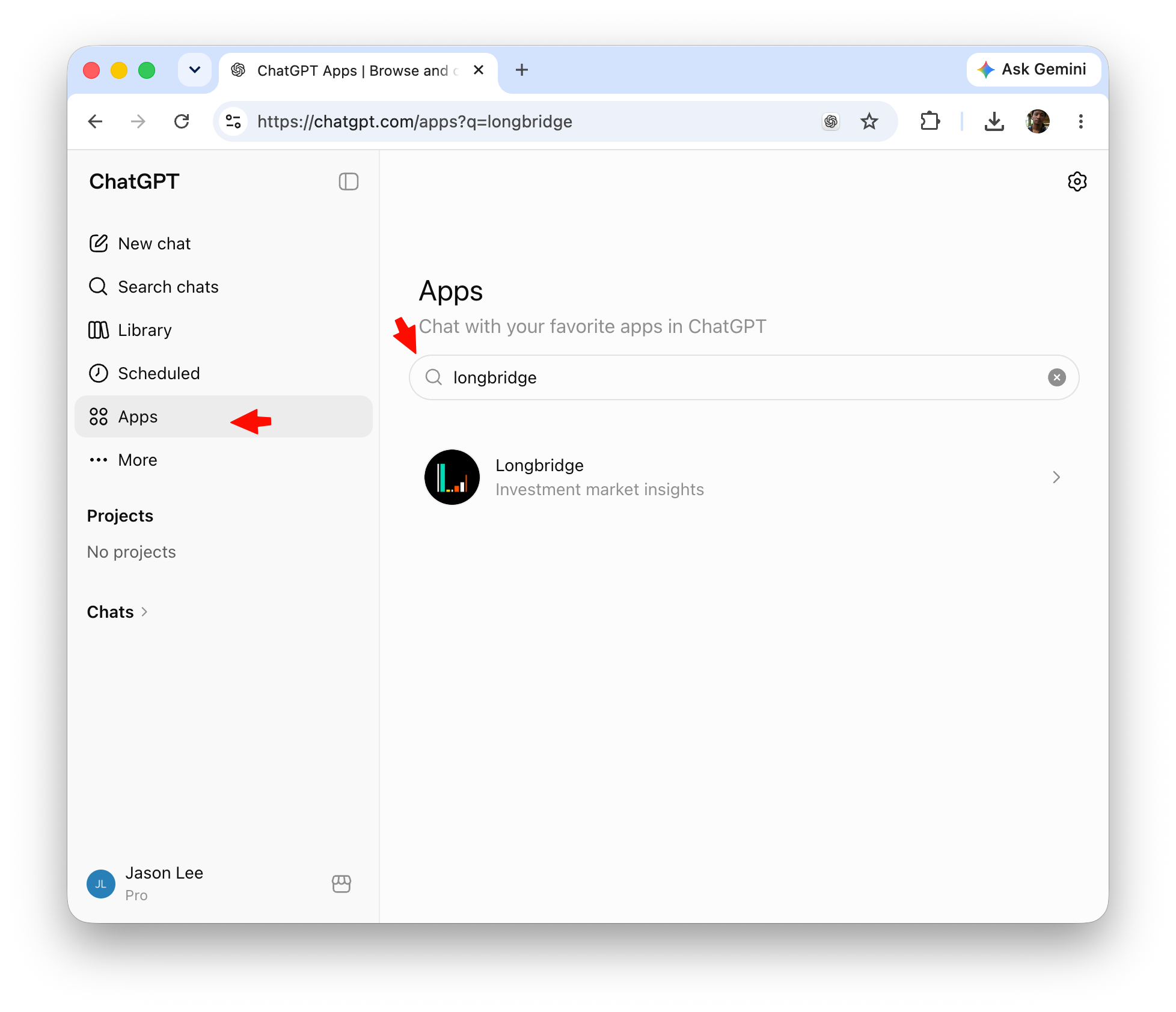
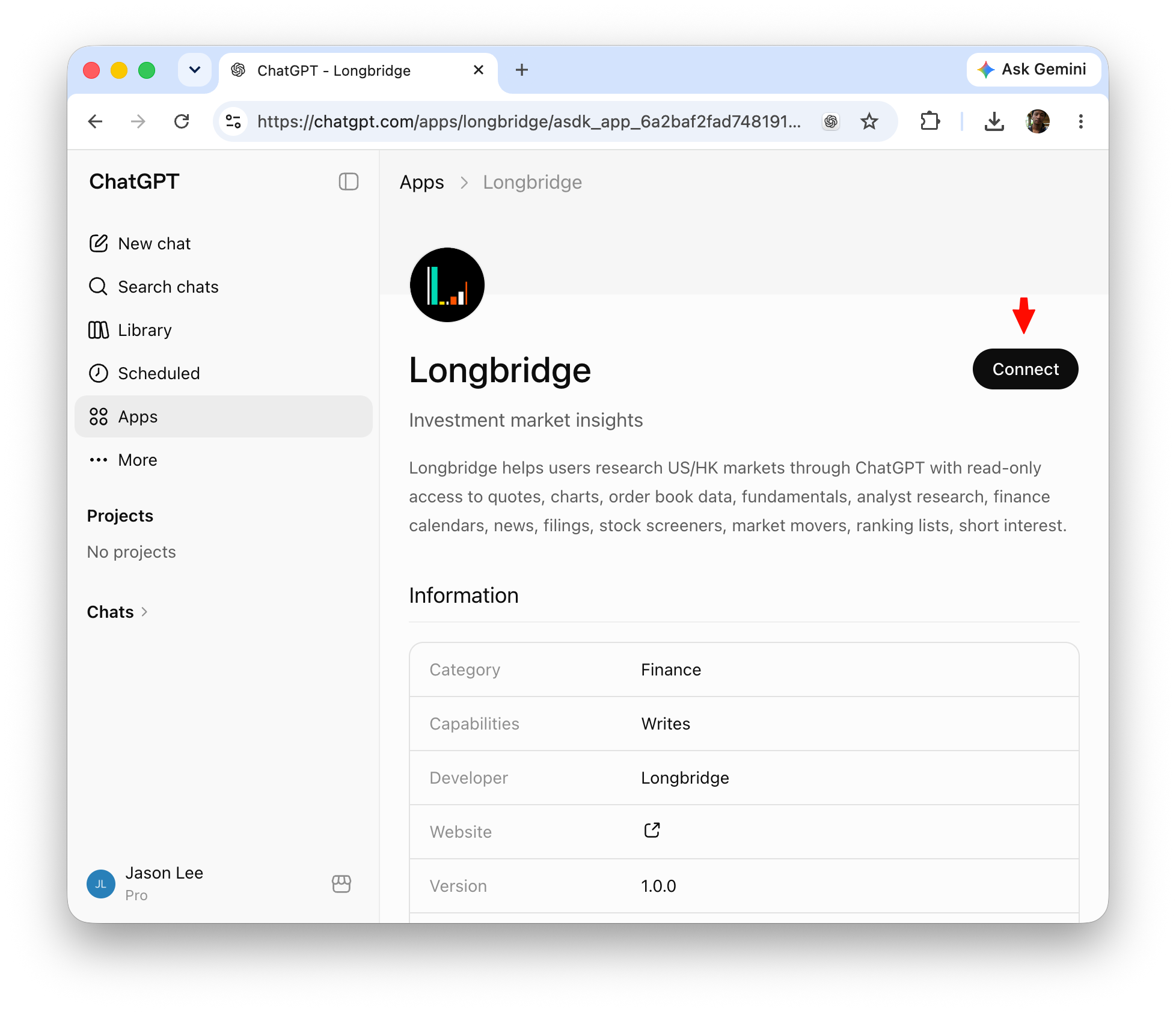
After authorization, prefix every message with @longbridge to send it to Longbridge MCP — for example: @longbridge check my today's orders. Without this prefix, ChatGPT will not route your question to Longbridge.
Trading features unavailable in ChatGPT
Due to ChatGPT platform policies, the Longbridge ChatGPT App does not include order placement and other trading tools. To use trading features, switch to Claude Code, Cursor, or another MCP client.
Claude
Longbridge is available as an official connector in Claude’s directory.
On Claude web or Claude Desktop:
- Click Customize → Connectors, then click the Add button
- Select Browser Connectors from the dropdown and search for
longbridge - Select Longbridge and complete the authorization login
Or open the Longbridge connector directly.
Claude Code
Run the following command in your terminal:
claude mcp add --transport http longbridge https://mcp.longbridge.comThen open the claude terminal interface, type /mcp, select longbridge, and choose Authenticate to complete the OAuth authorization flow.
Codex
Run the following command in your terminal:
codex mcp add longbridge --url https://mcp.longbridge.comThen follow the OAuth authorization flow in Codex when prompted.
Codex Desktop
- Click Settings (bottom right) → MCP Servers → Add Server
- In the “Connect to a custom MCP” screen, fill in:
- Name:
longbridge - Type: Streamable HTTP
- URL:
https://mcp.longbridge.com - Leave all other fields empty
- Name:
- Click Save
- Back in the MCP Servers list, click Authenticate on the
longbridgeentry to complete OAuth authorization
Grok
Open Grok Connectors and add a custom MCP server:
- In the left sidebar, go to Skills and Connectors → Connectors → New Connector → Custom
- Fill in:
- Name:
Longbridge - Server URL:
https://mcp.longbridge.com
- Name:
- Click Add Connector and follow the Longbridge OAuth 2 authorization flow to complete the setup
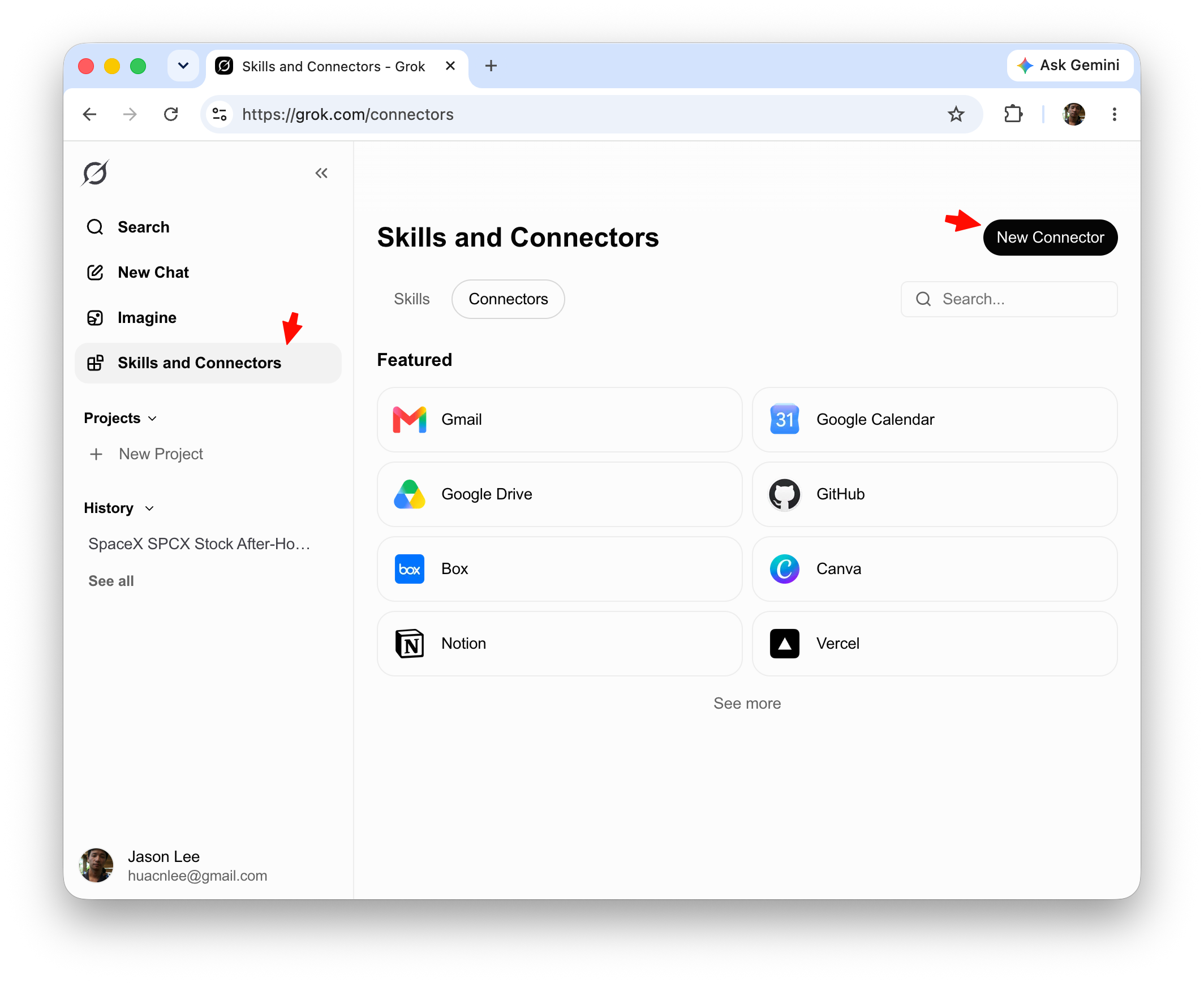
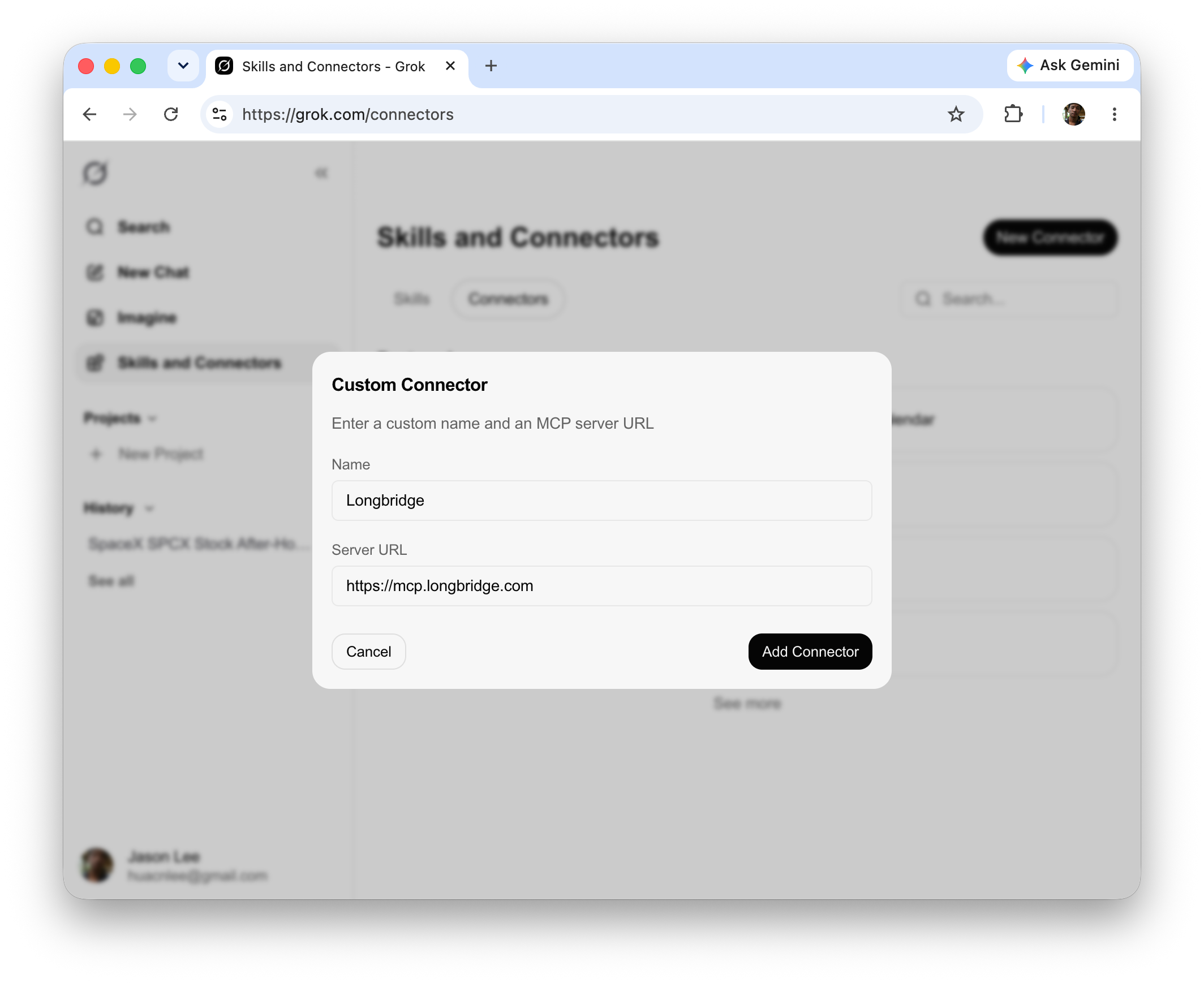
Cursor
Settings → MCP Servers → Add Remote MCP Server, then enter the URL above.
Zed
Add the following to your settings.json under the context_servers key (key name is customizable):
{
  "mcpServers": {
    "longbridge": {
      "url": "https://mcp.longbridge.com"
    }
  }
}
Cherry Studio
Settings → MCP Servers → Add, then enter the URL above.
Manus
In Manus, open the Plugins window, click the Create button on the right side, and select Import MCP by JSON from the menu. Paste the following JSON to complete the import:
{
  "mcpServers": {
    "longbridge": {
      "url": "https://mcp.longbridge.com"
    }
  }
}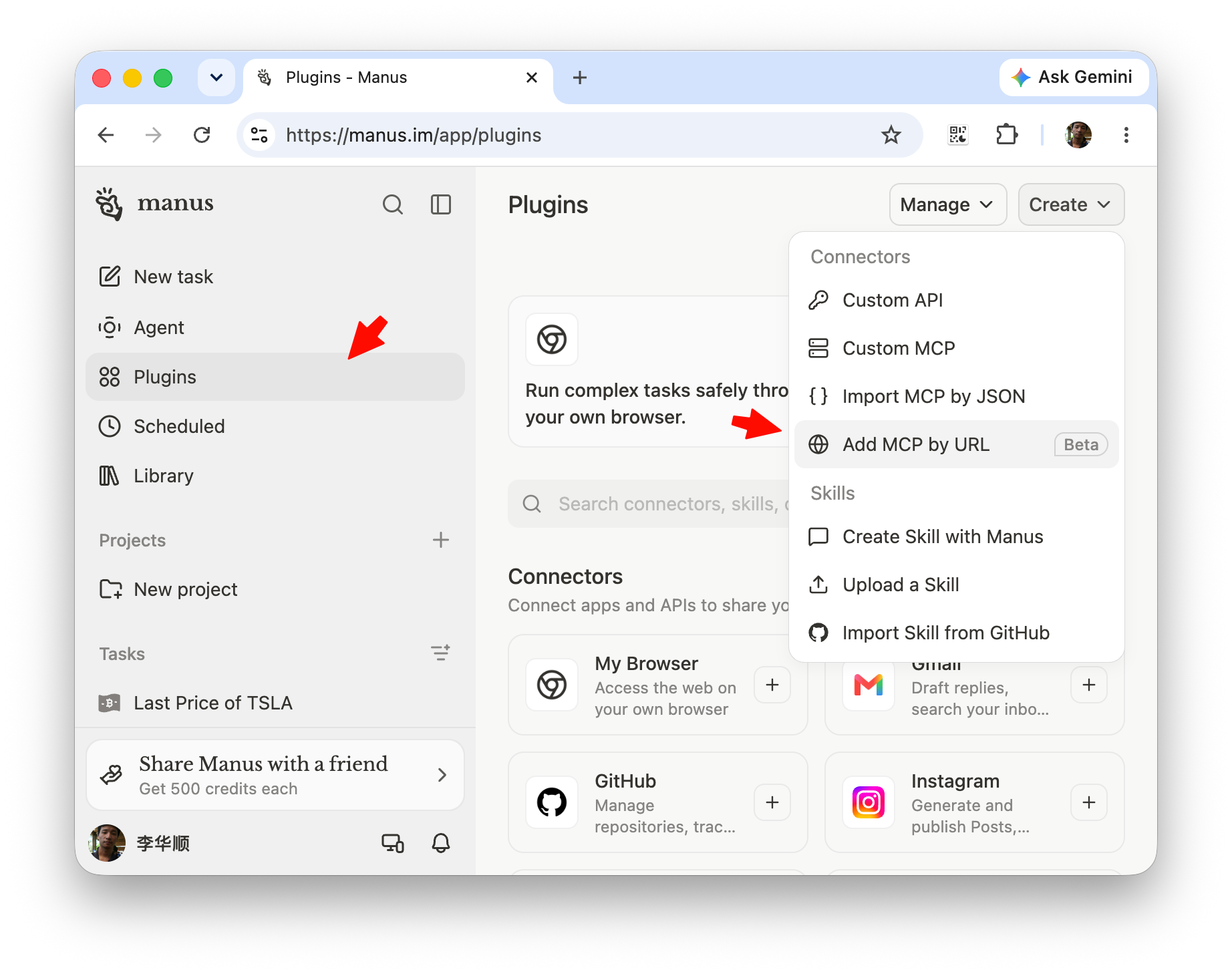
OAuth authorization flow
Longbridge MCP uses standard OAuth 2.1. You never need to paste API keys or tokens into the client.
In ChatGPT, the authorization happens when you add Longbridge from Plugins. In other MCP clients, the first tool call usually starts the browser authorization flow.
AI client                  Browser                   Longbridge
    |                        |                           |
    |--- initiate MCP ------->|                           |
    |                        |--- redirect to auth ------>|
    |                        |<-- show login & consent ---|
    |                        |--- sign in & approve ------>|
    |<-- return credentials --|                           |
    |--- call tools with credentials ----------------------->|
Steps:
- Initiate connection — Adding the Longbridge MCP config and calling a tool for the first time triggers the authorization flow
- Browser redirect — The client opens a browser tab with the Longbridge login and consent page
- Sign in and approve — Log in with your Longbridge account and review and accept the requested permission scopes
- Session established — After approval, the client receives credentials and MCP tools become available
- Credential maintenance — Credentials are refreshed automatically per OAuth policy; to revoke access, visit Longbridge account security settings
Client compatibility
Longbridge MCP requires clients that fully implement MCP OAuth 2.1. Clients with incomplete support will fail during the authorization flow.
Known issue: early versions of Cherry Studio do not support the full OAuth flow. Please upgrade to the latest release.
If another client fails to connect, check its version and MCP support documentation.
Client can’t open the browser?
If your client has incomplete OAuth support or cannot launch a browser, use an Agent Auth Code instead: generate a one-time code at https://open.longbridge.com/connect, connect to the dedicated endpoint https://mcp.longbridge.com/agent, and have the agent redeem it via the authenticate tool.
Security recommendations
- Least privilege: Only approve the scopes required for your current task; avoid over-granting
- Trading confirmation: For any order placement prompt, explicitly instruct the AI to ask for human confirmation before executing
- Credential handling: OAuth credentials are managed by your client; avoid copying them into untrusted environments
- Regular review: Periodically check and revoke unused authorizations in your Longbridge account security settings
Recommended usage pattern
- Start with read-only tools: Begin with market data, account overview, and position queries to learn tool behavior at low risk
- Gradually enable trading: Enable order placement only after verifying scope configuration and your own risk controls
- Add guardrails in prompts: For example, “keep each trade under X”, “always confirm with me before placing an order”
Troubleshooting
OAuth sign-in failed
- Confirm your Longbridge account is in good standing and identity verification is complete
- Remove the existing MCP configuration from the client and re-add it to trigger a fresh authorization
- Check whether the requested scopes are supported for your account type
Connected but some tools are missing
- Account or regional restrictions: certain markets or features may be limited by account level or region
- Scope changes: if tool capabilities have been updated, re-authorize to receive the new scopes
Permission denied on trading actions
- Verify trading permissions and market eligibility on your account
- Confirm that the current MCP session’s OAuth scopes include trading-related permissions